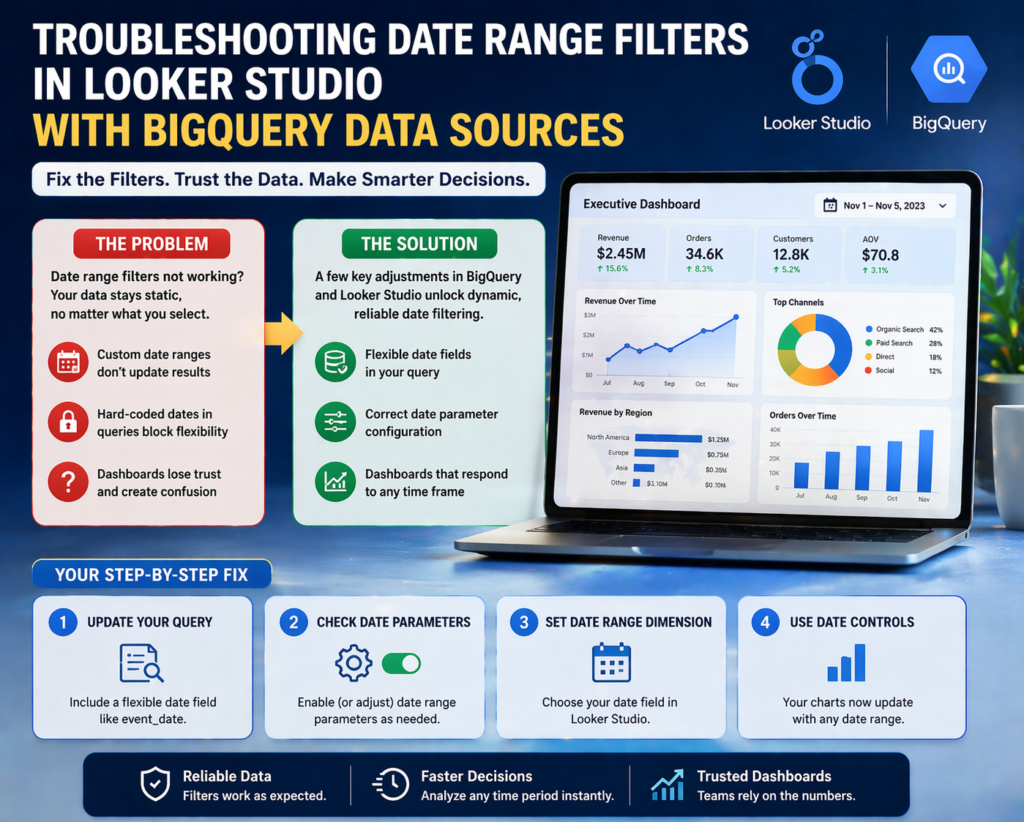
If you’ve ever opened your dashboard, adjusted the date range… and nothing changed — you’re not alone.
This is one of the most frustrating issues businesses face when working with BigQuery and Looker Studio. Everything looks perfect on the surface. Clean visuals. Accurate metrics. Smooth design.
But the moment someone tries to interact with the data, it breaks.
That’s where Looker Studio consulting becomes more than just technical support — it becomes a business necessity.
Because when dashboards don’t respond to time filters, it’s not just a technical glitch. It directly impacts how decisions are made.
Why Date Range Issues Are More Dangerous Than They Look
At first glance, a broken date filter feels like a small inconvenience.
But in reality, it creates a chain reaction across teams.
Marketing teams start questioning campaign performance.
Sales teams lose clarity on trends.
Leadership ends up making decisions based on static or outdated data.
And the worst part?
Nobody immediately realizes the data isn’t updating.
This leads to:
- Misaligned reporting across departments
- Delayed decision-making
- Loss of trust in dashboards
When stakeholders stop trusting dashboards, they go back to manual reports. And that defeats the entire purpose of investing in data visualization.
The Real Cause Behind Looker Studio Date Filter Failures
Most people assume the issue is inside Looker Studio.
It’s not.
The problem usually starts at the data source level — especially when using BigQuery.
Here’s what typically goes wrong:
Your query restricts the date range internally.
Your dataset doesn’t include a proper dynamic date field.
Date parameters are either misconfigured or over-engineered.
So even though Looker Studio offers flexibility on the front end, the backend silently blocks it.
Think of it like this:
You’re trying to control time from the dashboard…
But the query has already locked it.
How Looker Studio Consulting Solves This Problem
This is exactly where structured expertise makes the difference.
Instead of guessing what’s wrong, a proper consulting approach looks at the full data pipeline — from query to visualization.
Step 1: Fix the Data Foundation
The first step is ensuring your BigQuery setup allows flexibility.
A well-structured query includes:
- A clean, usable date field (like
event_date) - No hard-coded date restrictions
- Proper formatting for compatibility with Looker Studio
This single change often resolves 70% of filter issues.
Step 2: Configure Date Parameters Correctly
Many teams either ignore or misuse date parameters.
When used correctly, they allow dashboards to dynamically adjust based on user input.
But when misconfigured, they override dashboard controls entirely.
A consulting-led approach ensures:
- Parameters align with reporting needs
- Queries remain flexible, not restrictive
- Performance doesn’t get compromised
Looker Studio Consulting for Scalable Dashboard Performance
Fixing one dashboard is easy.
Building a system that scales across teams? That’s where most businesses struggle.
This is why consulting goes beyond just fixing filters.
It focuses on building a repeatable, reliable system.
Here’s what that looks like in practice:
- Clean data models that support multiple dashboards
- Consistent date logic across all reports
- Standardized configurations for future scalability
When done right, your dashboards don’t just work — they stay working.
What This Means for Business Owners and Teams
If your dashboards aren’t responding to date filters, you’re not just dealing with a technical issue.
You’re dealing with:
Lost opportunities to act on real-time insights
Slower decision cycles
Reduced confidence in your analytics
And in fast-moving environments, delayed insights are as good as wrong insights.
On the other hand, when your dashboards are fully dynamic:
You can analyze trends instantly
You can compare performance across time periods effortlessly
You can make decisions backed by accurate, real-time data
That’s the real ROI of fixing something as “small” as a date filter.
A Simple Way to Think About It
If your dashboard doesn’t adapt to time…
It’s not a dashboard.
It’s a report.
And reports don’t drive decisions — they just describe the past.
Modern businesses need systems that respond in real time.
That’s the difference between data that informs… and data that actually drives growth.
When Should You Consider Looker Studio Consulting?
Not every issue requires external help.
But certain signs indicate you’re past the DIY stage:
- Your dashboards behave inconsistently across teams
- Filters don’t work as expected
- Data from BigQuery feels “stuck” or static
- You spend more time fixing dashboards than using them
If that sounds familiar, it’s not a tool problem.
It’s a structural problem.
Final Thoughts
Looker Studio is powerful. BigQuery is powerful.
But without the right setup, they create friction instead of clarity.
Fixing date range issues might seem like a small technical win…
But in reality, it unlocks something much bigger:
Confidence in your data.
And when teams trust their data, they move faster, decide better, and scale smarter.
If you’re dealing with dashboards that don’t respond the way they should, it might be time to look beyond quick fixes.
Explore how structured Looker Studio consulting can turn your dashboards into reliable, decision-ready systems at Visualizexpert.com
Because better dashboards don’t just show data — they help you act on it.
Leave a Reply