Category: Uncategorized

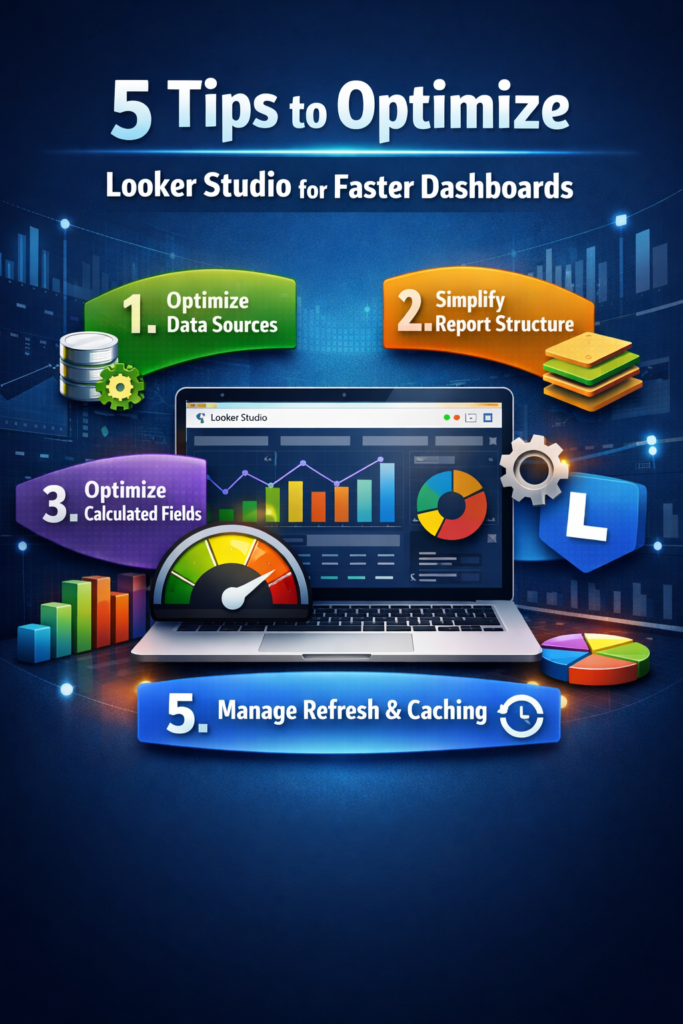
  • 5 Tips to Optimize Looker Studio for Faster Dashboards Now


    Modern businesses rely heavily on dashboards to monitor performance, track KPIs, and make data-driven decisions. But as data grows, many dashboards become slow, cluttered, and difficult to use. This is where Looker Studio optimization becomes essential.

    Without proper optimization, even the most visually appealing reports can suffer from poor performance and unreliable insights. That’s why many companies invest in Looker Studio consulting services to improve dashboard speed, structure, and usability.

    At its core, Looker Studio optimization focuses on improving how data is connected, processed, and visualized so that dashboards remain fast, scalable, and user-friendly.

    Organizations working with professional data analytics services often realize that the real power of dashboards lies not just in visuals — but in how efficiently they are built and optimized.

    In this article, we’ll explore five practical tips to optimize Looker Studio dashboards, improve performance, and deliver better analytics experiences.


    Why Optimization Matters in Looker Studio

    Before focusing on design and visuals, it’s important to ensure that dashboards are technically optimized.

    Without proper optimization, businesses face issues such as:

    • inconsistent metrics
    • slow dashboard performance
    • cluttered report structur
    • inaccurate or delayed insights

    Strong optimization solves these problems by improving dashboard speed, structure, and reliability.

    Organizations using professional analytics and reporting consulting services often optimize dashboards before scaling them across teams.

    This foundation allows teams to build reliable BI dashboard solutions, interactive analytics reports, and scalable business dashboards for leadership teams.


    Core Tips to Optimize Looker Studio Dashboards

    Let’s explore some essential techniques used in modern business intelligence consulting services and analytics projects.


    1. Optimize Data Sources

    The foundation of every Looker Studio dashboard is its data source.

    Using multiple connectors, raw datasets, or heavy queries can significantly slow down performance.

    Best practices include reducing unnecessary fields, filtering data at the source level, avoiding excessive data blending, and using extracted data where possible.

    For example:

    A sales dashboard connected to a clean and filtered dataset becomes faster and more reliable because Looker Studio processes less unnecessary data.


    2. Simplify Report Structure

    Overloading dashboards with too many charts and elements is one of the most common mistakes.

    A cluttered report not only slows performance but also makes insights harder to understand.

    Optimization techniques include limiting the number of charts per page, removing unused components, organizing content into multiple pages, and using clear navigation.

    For instance:

    An executive dashboard should focus only on key KPIs instead of displaying every available metric.


    3. Optimize Calculated Fields

    Calculated fields are powerful but can impact performance when overused or poorly structured.

    Complex or repeated calculations can slow down dashboards significantly.

    Best practices include minimizing redundant calculations, using pre-calculated fields in the data source, simplifying formulas, and avoiding heavy calculations on blended data.

    Example:

    Instead of calculating profit margins in multiple charts, define it once in the data source and reuse it across the dashboard.


    4. Use Efficient Visualizations

    Not all visualizations are equal in terms of performance.

    Heavy charts, large tables, and excessive interactivity can slow down rendering.

    Optimization strategies include using fewer high-impact visuals, avoiding overly detailed tables, limiting interactive elements, and focusing on clarity over complexity.

    For example:

    A simple bar chart showing top-performing products is often more effective than a dense table with hundreds of rows.


    5. Manage Data Refresh and Caching

    Frequent data refresh and real-time connections can put unnecessary load on dashboards.

    In many cases, real-time data is not required.

    Best practices include scheduling data refresh intervals, using caching effectively, avoiding unnecessary real-time connections, and optimizing refresh frequency based on use case.

    For instance:

    A marketing dashboard updated daily is often sufficient instead of refreshing every few minutes.


    How Looker Studio Optimization Improves Analytics

    Companies investing in Looker Studio optimization often experience significant improvements in reporting performance and usability.

    Here’s how structured optimization enhances analytics workflows:

    • Faster dashboard performance with reduced load time
    • Better user experience through clean and structured layouts
    • More efficient calculations with consistent KPI tracking
    • Scalable reporting systems across teams and departments
    • Improved decision-making with faster access to insights

    Real Example: Marketing Performance Dashboard

    Consider a company tracking its marketing performance across multiple channels.

    Without proper optimization, the company may rely on disconnected data sources and slow dashboards.

    With optimized Looker Studio dashboard development, the company can structure its system more efficiently.

    Using this approach, analysts can create dashboards that show:

    • campaign ROI
    • lead generation performance
    • channel-wise conversions

    Executives can then review insights through dashboards that display critical business metrics in a fast and reliable way.


    Transitioning from Basic to Optimized Dashboards

    Many organizations begin their analytics journey with basic dashboards.

    As data grows, performance issues become more visible.

    During optimization, teams refine data sources, reduce manual calculations, improve dashboard structure, and remove unnecessary elements.

    This transition allows companies to move toward faster, scalable, and more reliable analytics systems.


    The Role of Visual Dashboards

    Once dashboards are optimized, visualization becomes more impactful.

    Well-designed dashboards allow decision-makers to understand complex data quickly.

    For example:

    A leadership team reviewing a performance dashboard can instantly identify trends, gaps, and growth opportunities.

    Similarly, marketing teams can evaluate campaign success using clear and interactive visual reports.


    Why Businesses Choose VisualizExpert for Looker Studio Solutions

    Building effective dashboards requires both technical expertise and strategic understanding.

    At VisualizExpert, our team specializes in delivering scalable analytics solutions that help organizations optimize dashboards and improve reporting performance.

    Our services include Looker Studio optimization services, interactive dashboard development, data analytics consulting, performance-focused BI solutions, and scalable reporting systems.

    By combining technical optimization with business insights, VisualizExpert helps companies build dashboards that support smarter decision-making.


    Final Thoughts

    Dashboard performance plays a critical role in business success.

    Optimizing Looker Studio dashboards ensures that reports remain fast, clear, and scalable as data grows.

    Techniques like optimizing data sources, simplifying structure, improving calculations, refining visualizations, and managing refresh settings help transform dashboards into high-performance analytics tools.

    When implemented correctly, these strategies power everything from operational reports to executive dashboards.

    If your organization is planning to improve dashboard performance or scale analytics systems, professional Looker Studio optimization services can make a significant difference.

    At VisualizExpert, we help businesses design high-performance dashboards and build analytics systems that support data-driven decision-making.

    To explore how optimized dashboards can transform your reporting environment, visit visualizexpert.com.

  • How Power BI Data Modeling Works: Techniques, Best Practices, and Real Examples


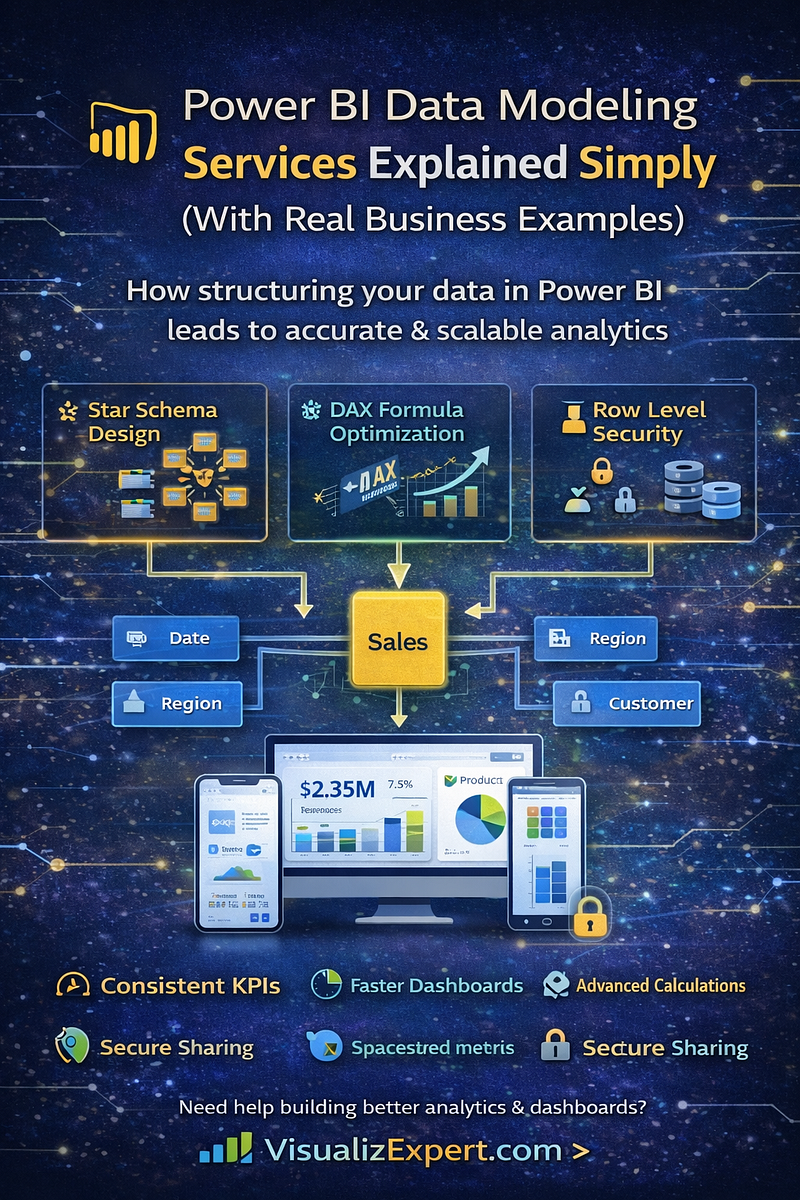
    Modern organizations collect massive volumes of data every day. But without proper structure, raw data often leads to confusing dashboards and unreliable insights. That’s why many companies rely on Power BI Data Modeling Services to organize data, define relationships, and build meaningful reports that support better decision-making.

    At its core, Power BI data modeling transforms scattered datasets into structured frameworks that allow organizations to create accurate Power BI dashboards, track KPIs, and generate actionable insights.

    Companies working with professional data analytics services and business intelligence consulting providers often discover that the real power of Power BI lies not in visualization alone — but in how the underlying data is modeled.

    In this article, we’ll explain key Power BI data modeling techniques, show real examples, and explore how strong modeling improves reporting, automation, and strategic analytics.


    Why Data Modeling Matters in Power BI

    Before dashboards and visualizations are created, the data must be structured correctly.

    Without proper modeling, businesses face issues such as:

    • inconsistent metrics
    • slow dashboard performance
    • duplicated calculations
    • inaccurate KPIs

    Strong Power BI data modeling solves these problems by creating logical relationships between datasets and ensuring metrics are calculated consistently across reports.

    Organizations using professional analytics and reporting consulting services often implement structured data models before developing reports or dashboards.

    This foundation allows teams to build reliable BI dashboard solutions, interactive analytics reports, and scalable interactive business dashboards for leadership teams.


    Core Techniques Used in Power BI Data Modeling

    Let’s explore some essential techniques used in modern Power BI consulting services and enterprise analytics projects.


    1. Star Schema Design

    One of the most widely used modeling techniques is Power BI Star Schema Design.

    In a star schema structure, data is organized into two types of tables:

    Fact tables
     Contain measurable business data such as revenue, sales, or transactions.

    Dimension tables
     Contain descriptive attributes like product names, customer locations, or dates.

    For example, an executive analytics dashboard tracking monthly revenue becomes faster and more reliable because Power BI can easily calculate metrics across related tables.


    How Power BI Data Modeling Services Improve Analytics

    Companies investing in Power BI Data Modeling Services often experience significant improvements in reporting accuracy and dashboard performance.

    Here’s how structured modeling enhances analytics workflows.

    1. Better KPI Tracking

    A structured data model allows businesses to standardize key metrics such as:

    • revenue growth
    • customer acquisition cost
    • operational efficiency
    • sales performance

    When models are designed correctly, organizations can implement consistent Power BI KPI tracking across multiple dashboards.

    This enables leadership teams to monitor performance using reliable Power BI scorecards rather than disconnected spreadsheets.


    2. Faster Dashboard Performance

    Poorly structured data models often result in slow dashboards and long query times.

    Techniques like optimized relationships and efficient queries help improve Power BI DirectQuery Performance, especially when dealing with large datasets or real-time reporting systems.

    This becomes particularly important for teams monitoring real-time data dashboards or operational analytics.


    3. More Advanced Calculations with DAX

    Another important technique in Power BI modeling is DAX Formula Optimization.

    DAX (Data Analysis Expressions) allows analysts to create advanced calculations such as:

    • year-over-year growth
    • rolling averages
    • customer segmentation
    • revenue forecasting

    For example:

    A finance team may use optimized DAX formulas to calculate profit margins across multiple product categories.

    This capability enables analysts to build sophisticated finance performance dashboards and sales analytics dashboards without relying on external tools.


    4. Secure Data Access

    Enterprises often require strict access controls when sharing reports.

    Using Power BI Row Level Security, organizations can restrict access to specific datasets based on user roles.

    Example:

    A regional sales manager should only see data related to their assigned territory.

    With row-level security, businesses can safely deploy enterprise data visualization solutions across departments while protecting sensitive information.


    5. Integration Across Multiple Systems

    Modern businesses rely on many platforms, including CRMs, marketing tools, and operational databases.

    Power BI models allow these datasets to be unified through Power BI integration services and structured data integration services.

    This enables companies to build unified analytics environments that combine information from:

    • CRM systems
    • sales platforms
    • financial databases
    • marketing tools

    The result is a comprehensive unified reporting data model that supports cross-department insights.


    Real Example: Sales Performance Dashboard

    Consider a company tracking its sales performance across multiple regions.

    Without proper data modeling, the company may rely on disconnected spreadsheets or manual calculations.

    With professional Power BI Dashboard Development, the company can structure its data model using:

    Using this model, analysts can create custom Power BI reports that show:

    • monthly revenue growth
    • regional sales performance
    • product profitability trends

    Executives can then review insights through executive analytics dashboards that display critical business metrics in real time.


    Migrating from Excel to Power BI Models

    Many organizations begin their analytics journey with spreadsheets.

    While spreadsheets are useful for basic analysis, they often become difficult to maintain as data grows.

    That’s why businesses frequently invest in Power BI Migration from Excel projects.

    During this process:

    • Historical data is imported into structured models
    • Manual calculations are replaced with automated metrics
    • Dashboards replace static reports

    This transition allows companies to automate insights using Power BI automation and scalable reporting systems.


    The Role of Visual Dashboards

    Once data models are built, organizations can design visually intuitive reports that help stakeholders understand complex data quickly.

    This is where data visualization services and interactive dashboard design become essential.

    Well-designed dashboards allow decision-makers to monitor business performance without manually analyzing raw datasets.

    For example:

    A leadership team reviewing an operations analytics dashboard can instantly identify operational bottlenecks and efficiency opportunities.

    Similarly, marketing teams analyzing marketing ROI dashboards can quickly understand which campaigns generate the best return on investment.


    Why Businesses Choose VisualizExpert for Power BI Solutions

    Building effective analytics systems requires both technical expertise and business understanding.

    At VisualizExpert, our team specializes in delivering scalable custom analytics solutions that help organizations turn raw data into actionable insights.

    Our services include:

    • Power BI Data Modeling Services
    • Enterprise Power BI Dashboard Development
    • scalable Power BI dashboards for leadership teams
    • advanced Power BI consulting services
    • interactive BI dashboard solutions

    By combining technical modeling expertise with strategic analytics design, VisualizExpert helps companies build data systems that support data visualization for decision-making.


    Final Thoughts

    Data visualization alone does not create valuable insights. The real foundation of powerful analytics lies in how data is structured.

    Strong Power BI data modeling ensures that dashboards remain fast, accurate, and scalable as businesses grow.

    Techniques like star schema design, optimized DAX formulas, data integration, and secure access controls allow organizations to transform raw datasets into reliable analytics systems.

    When implemented correctly, these models power everything from operational reports to strategic executive analytics dashboards.

    If your organization is planning to build advanced analytics systems or improve existing dashboards, professional Power BI Data Modeling Services can make a significant difference.

    At VisualizExpert, we help businesses design scalable data models, build high-performance dashboards, and create analytics systems that support smarter, data-driven decisions.

    To explore how advanced Power BI solutions can transform your reporting environment, visit visualizexpert.com.

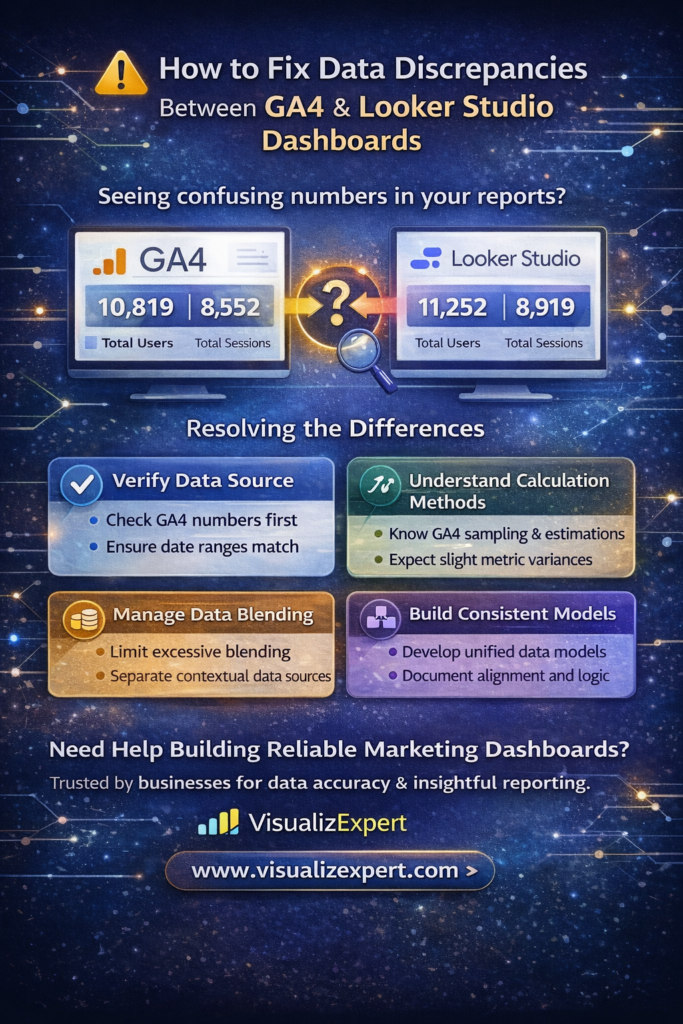
  • GA4 Looker Studio Dashboards: How to Fix Data Discrepancies and Build Reliable Analytics Reports


    Data discrepancies between Google Analytics 4 and Looker Studio are one of the most common frustrations faced by marketing analysts, founders, and data teams.

    You open your GA4 interface and see one number.
     Then you check your dashboard and see another.

    Immediately, the question appears:

    “Why don’t these numbers match?”

    This situation is common when building GA4 Looker Studio dashboards, and it can create serious doubts during executive reporting, client presentations, or marketing performance reviews.

    The reality is that these discrepancies are rarely errors. Most of the time, they result from data processing differences, sampling behavior, aggregation methods, and reporting structures.

    Understanding how these systems process data is essential for teams that rely on marketing analytics dashboards for decision-making.

    At VisualizExpert, our data analytics services focus on helping organizations build reliable reporting frameworks so teams can trust their numbers and focus on insights instead of debugging dashboards.


    Why Data Discrepancies Happen in GA4 Looker Studio Dashboards

    When working with GA4 Looker Studio dashboards, it’s important to remember that Looker Studio does not store data. It simply queries and visualizes data through connectors.

    Several technical factors influence what appears in your reports.

    1. Sampling in Large Data Sets

    GA4 uses sampling techniques when analyzing very large datasets. This approach improves system performance but may slightly adjust results when querying data through APIs.

    Looker Studio retrieves information using the GA4 Data API, meaning sampled results may appear when analyzing large date ranges or high-traffic properties.

    For most companies, the difference is minimal. However, organizations operating large marketing campaigns may see small variations in metrics such as:

    • active users
    • sessions
    • engagement rate

    This is why marketing analytics dashboards should always include context and documentation for stakeholders.


    2. Differences Between GA4 Standard Reports and Explorations

    Another source of confusion occurs when teams compare data from standard reports with data from Explorations.

    Standard reports follow predefined aggregation models, while Explorations allow deeper analysis using different calculation logic.

    Because GA4 Looker Studio dashboards connect to standard reports by default, teams comparing data with Explorations may see mismatches.

    This difference is one of the most common questions asked during analytics and reporting consulting sessions.

    Understanding which data source your dashboards rely on is critical for building reliable reports.


    3. Estimation Methods Used by GA4

    GA4 uses estimation algorithms such as HyperLogLog++ to efficiently process user data.

    Instead of storing exact counts for massive traffic datasets, the system estimates values for metrics like:

    • active users
    • sessions
    • unique visitors

    This approach significantly improves performance but can lead to small discrepancies between systems that calculate totals differently.

    For most organizations, these differences remain within acceptable margins. However, executives reviewing executive analytics dashboards often expect exact matches.

    That is why data teams must explain these technical nuances clearly.


    4. Data Blending Challenges

    One of the most powerful features in Looker Studio is Looker Studio Data Blending, which allows analysts to combine multiple data sources.

    However, blending can sometimes produce misleading metrics if the aggregation method is not configured properly.

    For example:

    Combining Google Sheets annotations with GA4 user data might unintentionally duplicate user counts.

    Instead of blending everything into one table, experienced analysts often separate contextual information into independent data sources.

    This improves performance and prevents metric inflation inside digital marketing dashboards.


    Best Practices for Reliable GA4 Looker Studio Dashboards

    Organizations that rely heavily on marketing reporting should follow structured data practices to reduce discrepancies.

    1. Verify Source Data Before Building Dashboards

    Before building dashboards, always verify core metrics directly inside GA4.

    Confirm values for:

    • total users
    • sessions
    • conversions
    • traffic sources

    Once the source data is validated, dashboard development becomes much easier.

    This step is critical when building GA4 analytics dashboards for executive stakeholders.


    2. Keep Date Ranges Consistent

    A common mistake is comparing different date ranges between tools.

    Even including “today” in a report can produce discrepancies because GA4 may still be processing events.

    Always verify that both tools use identical date ranges when validating numbers.

    Consistent comparisons help maintain trust in conversion analytics dashboards.


    3. Avoid Overusing Data Blending

    While Looker Studio data blending is powerful, excessive blending can create complex aggregation problems.

    Many experienced analysts perform transformations externally using:

    • spreadsheets
    • data warehouses
    • ETL tools

    This approach creates cleaner inputs for Looker Studio marketing reports and improves dashboard performance.


    4. Understand Data Processing Delays

    GA4 may update historical data for up to 12 days due to delayed event processing or conversion modeling.

    This means numbers may slightly change when revisiting reports later.

    This behavior is particularly noticeable when tracking:

    • marketing conversions
    • attribution models
    • user engagement trends

    Recognizing this helps avoid unnecessary confusion during campaign analysis.


    Building More Reliable Marketing Analytics Dashboards

    When organizations rely on data to guide strategic decisions, dashboard accuracy becomes extremely important.

    Modern analytics environments often combine multiple systems, including:

    • CRM platforms
    • advertising platforms
    • e-commerce platforms
    • website analytics tools

    Without proper structure, these systems can create inconsistent metrics.

    That is why many companies invest in business intelligence consulting and structured data integration services.

    At VisualizExpert, we help companies build scalable reporting frameworks, including:

    • Looker Studio marketing reports for marketing teams
    • interactive business dashboards for operations and leadership
    • automated campaign analytics reporting pipelines
    • unified customer lifetime value analytics models

    Our goal is to ensure every dashboard supports data visualization for decision-making rather than creating confusion.


    The Role of Data Modeling in Accurate Reporting

    Reliable dashboards begin with strong data architecture.

    Instead of connecting multiple raw data sources directly to dashboards, many organizations implement structured, scalable data models and centralized reporting frameworks.

    These models enable:

    • consistent metric definitions
    • standardized calculations
    • unified attribution logic

    This approach supports accurate multi-channel marketing attribution and enables organizations to analyze metrics like:

    • return on ad spend visualization
    • e-commerce KPI tracking
    • sales conversion rate analytics

    Strong data modeling is essential for building trustworthy marketing analytics dashboards.


    How VisualizExpert Helps Organizations Fix Reporting Challenges

    Many companies discover data discrepancies only after dashboards are already in production.

    At that stage, troubleshooting becomes difficult because dashboards depend on multiple systems and data flows.

    VisualizExpert provides specialized analytics strategy services and dashboard design consulting to help organizations solve these problems systematically.

    Our services include:

    • auditing existing GA4 Looker Studio dashboards
     • improving data pipeline automation and reporting architecture
     • designing scalable interactive dashboard design frameworks
     • creating automated reporting solutions for marketing teams
     • developing unified marketing ROI dashboards

    By combining technical expertise with business context, we help organizations transform fragmented reporting into decision-ready analytics systems.


    Final Thoughts

    Data discrepancies between Google Analytics 4 and Looker Studio can feel frustrating at first, especially when stakeholders expect every number to match perfectly.

    But in reality, most differences come from how modern analytics platforms process data. Sampling methods, estimation algorithms, aggregation logic, and delayed event processing all play a role in shaping the final numbers that appear in your reports.

    When teams understand these mechanisms, they can design more reliable GA4 Looker Studio dashboards and avoid confusion during marketing performance reviews or executive presentations.

    Instead of chasing perfect numerical alignment, the focus should shift toward building structured reporting frameworks, maintaining consistent data methodologies, and documenting how metrics are calculated.

    That’s where expert guidance can make a real difference.

    At VisualizExpert, we help organizations design scalable analytics environments, build reliable marketing analytics dashboards, and create reporting systems that leadership teams can confidently rely on for decision-making.

    By combining structured data models, automated reporting systems, and intuitive visual dashboards, businesses can turn complex analytics into clear insights that drive smarter growth.

    If you’re looking to improve the accuracy and clarity of your reporting, explore the solutions available at visualizexpert.com and discover how better dashboards can transform the way your business understands data.

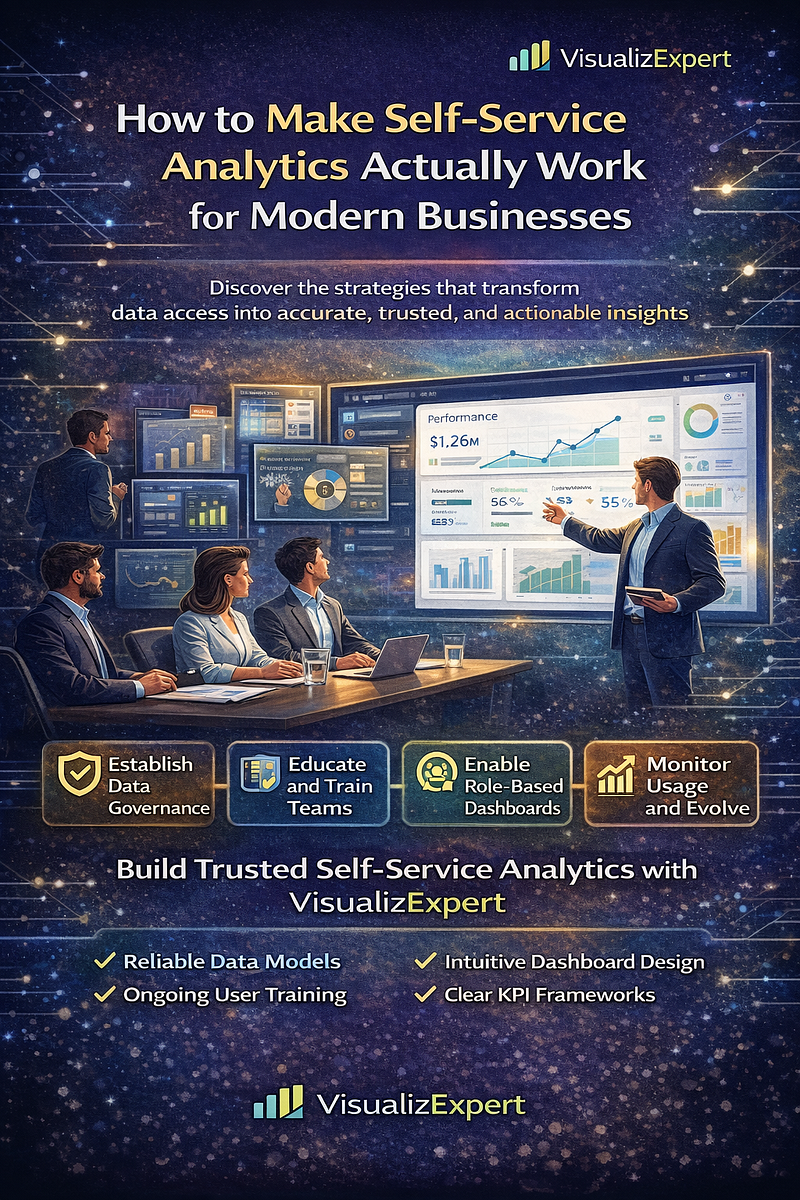
  • Data Analytics Services: How to Make Self-Service Analytics Actually Work for Modern Businesses

    Introduction: Why Self-Service Analytics Often Fails

    Self-service analytics promised something every organization wanted: faster insights, empowered teams, and fewer bottlenecks with IT. The idea sounded simple — give business users access to data and let them explore insights independently.

    But in reality, many companies experience the opposite.

    Instead of faster decisions, they get conflicting dashboards, inconsistent metrics, and confusion about which numbers to trust. Teams spend more time debating reports than acting on insights.

    This is where professional data analytics services become essential. When self-service analytics is built on a structured data strategy, clear governance, and well-designed dashboards, it becomes a powerful tool that improves how teams collaborate, analyze data, and make decisions.

    Done right, self-service analytics doesn’t just make reporting easier — it transforms how organizations operate.

    What Successful Self-Service Analytics Actually Looks Like

    Many businesses assume that self-service analytics means giving users access to dashboards or BI tools. But true success is about changing how people interact with data across the organization.

    When implemented correctly, self-service analytics creates a culture where teams actively use insights to guide decisions.

    Teams Become Confident Data Users

    One of the biggest benefits of effective self-service analytics is that teams gain confidence in exploring data independently. Instead of waiting days or weeks for reports, business users can quickly answer questions themselves.

    They can explore performance trends, analyze campaign outcomes, or track operational metrics without needing constant technical support. This level of autonomy accelerates problem-solving and allows teams to respond faster to changing business conditions.

    However, this empowerment only works when users have the right tools and clear dashboards built with intuitive structures.

    Data Becomes Consistent Across Teams

    A common challenge in self-service environments is inconsistent reporting. Different teams may create dashboards using different calculations, data sources, or definitions.

    Successful analytics environments solve this problem by establishing a shared data foundation.

    Key metrics such as revenue, churn, customer acquisition cost, and sales conversions are defined centrally so every team works from the same source of truth. This alignment removes confusion and ensures everyone interprets the data the same way.

    When teams trust the numbers they see, they stop debating dashboards and start focusing on strategy.

    Decision-Making Becomes Faster and More Informed

    The ultimate goal of self-service analytics is better decision-making.

    When data is easily accessible and clearly presented, leaders and operational teams can quickly identify patterns, monitor performance, and take action.

    Instead of relying on outdated monthly reports, organizations can track real-time performance metrics and respond immediately when trends change.

    This level of visibility helps companies identify opportunities faster, prevent potential issues earlier, and make smarter strategic decisions.

    Where Self-Service Analytics Typically Breaks Down

    Despite the benefits, many organizations struggle to achieve these outcomes. Self-service analytics often fails because the foundation behind it is incomplete.

    Understanding the most common problems can help businesses avoid them.

    Lack of Structure and Governance

    One of the most common reasons self-service analytics fails is the absence of clear governance.

    Without defined data structures and metric standards, users build dashboards independently using different assumptions. This creates multiple versions of the same metric, making it impossible to determine which report is correct.

    Over time, this leads to confusion, mistrust in analytics, and slower decision-making.

    Effective governance ensures that all dashboards rely on consistent data definitions and trusted data sources.

    Limited Data Literacy Among Business Users

    Access to data does not automatically mean users know how to interpret it.

    Many business teams lack formal training in analytics concepts such as statistical significance, correlation vs. causation, or data sampling. As a result, they may misinterpret trends or draw incorrect conclusions from dashboards.

    Without guidance, users often focus only on surface-level metrics without understanding what drives those numbers.

    This is why successful organizations invest in analytics training and support systems that help teams interpret insights correctly.

    Dashboards Focus on Metrics Instead of Insights

    Another common issue is dashboards that present large volumes of data without explaining what the numbers actually mean.

    Users see dozens of charts, tables, and KPIs but struggle to identify the key takeaway. Instead of guiding decisions, dashboards become overwhelming collections of metrics.

    Effective dashboards prioritize clarity and storytelling. They highlight the most important insights and guide users toward the next action.

    Departments Build Analytics Silos

    When teams independently create reports and dashboards, duplication becomes inevitable.

    Sales, marketing, finance, and operations teams may all track similar metrics but use different data sources or calculations. This creates reporting silos that make cross-department collaboration difficult.

    A well-structured analytics environment encourages shared dashboards and unified reporting frameworks.

    How to Fix Self-Service Analytics and Make It Work

    Solving these challenges requires more than adding new tools. Organizations must build a structured analytics framework that supports users while maintaining data consistency.

    Establish Strong Data Governance

    The first step toward successful self-service analytics is building a clear governance structure.

    Organizations need standardized definitions for critical metrics and clear rules about data access, security, and validation. This ensures that every dashboard reflects accurate and consistent data.

    Governance should not be treated as a one-time setup. As the business evolves, metrics and data structures must evolve as well.

    Invest in Data Literacy and Training

    Empowering teams with data requires education as much as technology.

    Companies should provide ongoing training sessions that teach employees how to interpret dashboards, identify trends, and ask the right analytical questions.

    Short workshops, internal documentation, and interactive learning sessions can significantly improve how teams engage with data.

    Over time, these initiatives create a culture where employees naturally incorporate data into everyday decisions.

    Build Role-Based Dashboards

    Not every user needs access to the same information.

    Executives, managers, and operational teams each require different levels of detail. Designing dashboards around user roles ensures that every team sees the metrics most relevant to their responsibilities.

    Executives may focus on high-level performance indicators, while operational teams need detailed views to monitor day-to-day activities.

    Role-based dashboards improve usability and increase adoption across the organization.

    Monitor Analytics Usage and Continuously Improve

    Even well-designed analytics environments need regular evaluation.

    Organizations should track which dashboards are frequently used, which ones are ignored, and where users struggle to find insights. This feedback helps refine dashboard designs and improve analytics strategies.

    Continuous improvement ensures that the analytics environment evolves alongside business needs.

    How VisualizExpert Helps Organizations Fix Self-Service Analytics

    Building an effective self-service analytics environment requires a combination of technical expertise, strategic planning, and user-focused design.

    VisualizExpert specializes in helping organizations build scalable analytics systems that support business teams while maintaining data consistency and governance.

    Through advanced data analytics services, VisualizExpert helps businesses design analytics frameworks that transform raw data into meaningful insights.

    Their approach focuses on three key areas.

    Structured Data Architecture

    VisualizExpert helps organizations create reliable data models that ensure consistency across all dashboards and reports. By establishing a unified data structure, businesses can eliminate conflicting metrics and improve trust in analytics.

    Intelligent Dashboard Design

    Effective dashboards should simplify decision-making, not complicate it.

    VisualizExpert builds intuitive dashboards that highlight key insights, prioritize clarity, and help users quickly understand performance trends.

    This design-focused approach ensures that dashboards drive action instead of confusion.

    Analytics Strategy and Implementation

    Beyond dashboards, VisualizExpert works with organizations to develop long-term analytics strategies.

    This includes defining KPI frameworks, building scalable reporting systems, and aligning analytics initiatives with business goals.

    The result is a self-service analytics environment that empowers teams while maintaining strong governance and data accuracy.

    The Future of Self-Service Analytics

    As organizations continue adopting modern BI tools and AI-powered analytics platforms, the expectations around self-service analytics will only grow.

    Companies that succeed will focus not just on tools but on building strong analytics foundations — combining structured data models, clear governance, and user-friendly dashboards.

    When done right, self-service analytics creates a powerful advantage.

    Teams move faster, decisions become more informed, and businesses gain the agility needed to compete in data-driven markets.

    Final Thoughts

    Self-service analytics is not simply about giving employees access to data. It’s about creating an environment where people understand the data, trust the numbers, and can confidently use insights to guide decisions.

    Without structure, training, and clear governance, self-service analytics can create confusion rather than clarity.

    But with the right approach — and the right partner — organizations can transform their analytics systems into powerful decision-making engines.

    VisualizExpert helps businesses design scalable analytics environments that support data-driven growth.

    If your dashboards are accessible but your teams still struggle to trust or interpret the numbers, it may be time to rethink how your analytics ecosystem is built.

    Learn more about building effective self-service analytics systems at visualizexpert.com.

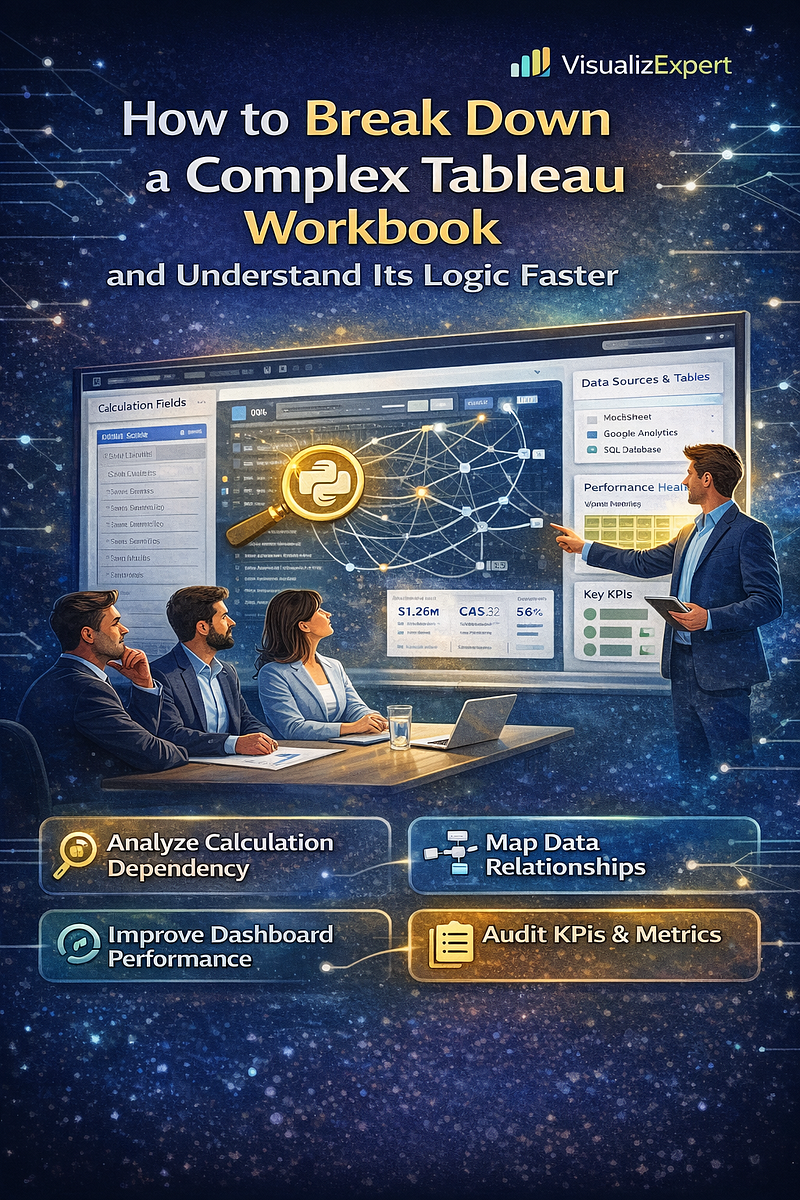
  • How to Break Down a Complex Tableau Workbook and Understand Its Logic Faster


    Modern organizations rely heavily on business intelligence dashboards to drive strategic decisions. However, one of the most common challenges analysts face is inheriting a large, complex Tableau workbook filled with dozens — or sometimes hundreds — of calculated fields, data sources, and worksheets.

    When a dashboard grows over time, it can become difficult to understand how everything connects. Calculations reference other calculations, multiple data sources interact, and performance issues begin to appear.

    For teams working with enterprise dashboards, this isn’t just a technical inconvenience. It can slow down decision-making, create confusion among stakeholders, and reduce trust in data insights.

    At VisualizExpert, our Tableau dashboard services and analytics and reporting consulting projects often begin with a similar challenge: helping organizations understand and optimize existing dashboards before scaling them further.

    Understanding how to systematically analyze and restructure a complex Tableau workbook is a crucial skill for modern data teams.


    Why Complex Dashboards Become Difficult to Maintain

    Over time, dashboards naturally evolve. New metrics get added, new teams request additional views, and analysts introduce advanced calculations to answer emerging business questions.

    While this flexibility is powerful, it also creates complexity.

    Some common issues we see include:

    • Calculated fields referencing multiple layers of other calculations
    • Data sources duplicated across worksheets
    • Poor documentation for business metrics
    • Performance issues caused by inefficient queries
    • Confusion around metric definitions across departments

    Without proper governance, dashboards become harder to maintain and scale.

    This is why enterprises invest in enterprise Tableau solutions and structured BI dashboard solutions to ensure dashboards remain sustainable as the organization grows.


    The Importance of Mapping Calculation Dependencies

    When dealing with a complex Tableau workbook, the first step is understanding how calculations depend on one another.

    Many organizations use calculated fields to define KPIs, perform aggregations, or transform raw data into business metrics. But if those calculations reference multiple other fields, tracing their origin becomes challenging.

    Mapping these relationships helps analysts understand:

    • Where a metric originates
    • How multiple calculations interact
    • Which fields impact dashboard results
    • Whether duplicate calculations exist

    This type of structured analysis supports decision-ready data visualization and helps organizations maintain consistency across reporting environments.


    Practical Steps to Analyze a Tableau Workbook

    Breaking down a Tableau workbook doesn’t require guesswork. Instead, analysts should follow a structured approach.

    1. Identify Core Data Sources

    Start by understanding where the data originates.

    Most enterprise dashboards connect to multiple sources, including:

    • Cloud data warehouses
    • SQL databases
    • CRM platforms
    • marketing platforms and ad systems

    Establishing this foundation ensures that analysts know where data transformations occur before they reach the visualization layer.

    Organizations often combine these sources through data integration services and cloud data warehouse integration to maintain a unified reporting structure.


    2. Document Calculated Fields

    Calculated fields are the backbone of advanced Tableau dashboards. However, without proper documentation, they can quickly become confusing.

    Document each calculation with:

    • Field purpose
    • Formula logic
    • Dependent fields
    • Business definition

    This process supports KPI strategy consulting and ensures consistent interpretation of business metrics across teams.


    3. Analyze Data Relationships

    Another key step is understanding how data tables interact.

    Many dashboards rely on complex joins or blends. If these relationships are poorly structured, they can lead to incorrect results or slow dashboard performance.

    Using best practices such as scalable data models and pipeline traceability solutions ensures data flows logically across the reporting environment.

    This step also prevents duplicate transformations across dashboards.


    4. Review Dashboard Performance

    Large dashboards frequently suffer from performance issues.

    Common causes include:

    • Excessive calculations
    • inefficient queries
    • unnecessary filters
    • large extract sizes

    Optimizing these components improves responsiveness and enhances the user experience.

    This process aligns with Tableau server optimization, which helps organizations deliver faster dashboards at enterprise scale.


    Why Visualization Architecture Matters

    Many teams focus heavily on charts and design but overlook the architecture behind dashboards.

    A well-designed visualization environment includes:

    • structured data models
    • standardized metrics
    • centralized data sources
    • scalable infrastructure

    These elements ensure dashboards remain reliable even as organizations scale their data operations.

    Our visual analytics consulting approach focuses on building strong foundations before designing visualizations.

    Without proper architecture, even the most beautiful dashboard becomes unreliable.


    Building Scalable Tableau Environments

    Organizations that successfully scale analytics usually adopt structured governance practices.

    This includes:

    • defining a business-aligned metrics framework
    • implementing consistent data definitions
    • creating standardized dashboard templates
    • enabling controlled self-service analytics

    When combined with interactive Tableau dashboards, this approach empowers teams to explore data while maintaining consistency across departments.


    Improving Dashboard Readability and Usability

    Beyond technical structure, dashboards must communicate insights clearly.

    Complex dashboards often fail because they try to display too much information at once.

    Instead, dashboards should focus on:

    • highlighting key metrics
    • providing clear performance indicators
    • enabling drill-down exploration
    • supporting executive decision-making

    This philosophy supports interactive dashboard design and data storytelling services, which help transform raw data into meaningful narratives.


    Integrating Multiple Analytics Platforms

    Modern organizations rarely rely on a single BI platform.

    A comprehensive analytics strategy often combines tools such as:

    • Tableau for advanced visualization
    • Power BI for operational dashboards
    • Looker Studio for marketing analytics

    This integrated ecosystem allows teams to leverage the strengths of each platform.

    For example, marketing teams may rely on Looker Studio marketing reports while finance teams prefer Power BI reporting solutions for financial analysis.

    The key is ensuring data consistency across tools through unified modeling and governance.


    Avoiding Common Tableau Dashboard Mistakes

    During dashboard reviews, we frequently encounter several recurring issues.

    These include:

    • redundant calculated fields
    • inconsistent metric definitions
    • poor naming conventions
    • excessive worksheet duplication
    • unclear dashboard navigation

    Addressing these issues improves dashboard maintainability and enables smoother collaboration between analysts and business teams.

    Organizations that implement structured dashboard design consulting frameworks often reduce dashboard complexity dramatically.


    The Role of Expert BI Consulting

    Analyzing and optimizing large dashboards requires both technical expertise and business understanding.

    That’s why many organizations work with experienced Tableau consulting experts or business intelligence consultants to restructure their analytics environments.

    Consulting support typically focuses on:

    • auditing existing dashboards
    • redesigning inefficient calculations
    • optimizing data models
    • implementing governance frameworks
    • enabling scalable reporting systems

    This ensures dashboards evolve into reliable decision engines rather than becoming unmanageable reporting tools.


    How VisualizExpert Helps Organizations Simplify Complex Dashboards

    At VisualizExpert, we specialize in helping organizations transform complicated dashboards into streamlined analytics environments.

    Our services include:

    • advanced Tableau dashboard design
    • enterprise data visualization services
    • interactive business dashboards for executive reporting
    • scalable analytics architecture and optimization
    • automated reporting systems across BI platforms

    We combine technical expertise with strategic insight to ensure dashboards deliver real business value.


    Final Thoughts

    Complex Tableau workbooks are not unusual in growing organizations. As data demands increase, dashboards naturally become more sophisticated.

    However, without proper analysis and optimization, complexity can slow down analytics and reduce trust in insights.

    By systematically analyzing calculations, documenting metrics, optimizing data models, and implementing structured governance, organizations can transform even the most complicated dashboards into efficient, scalable reporting systems.

    When dashboards are designed with clarity and performance in mind, they stop being static reports and become powerful decision-making tools.

    At VisualizExpert, our mission is simple: help organizations turn complex data environments into clear, actionable intelligence that drives smarter business decisions.

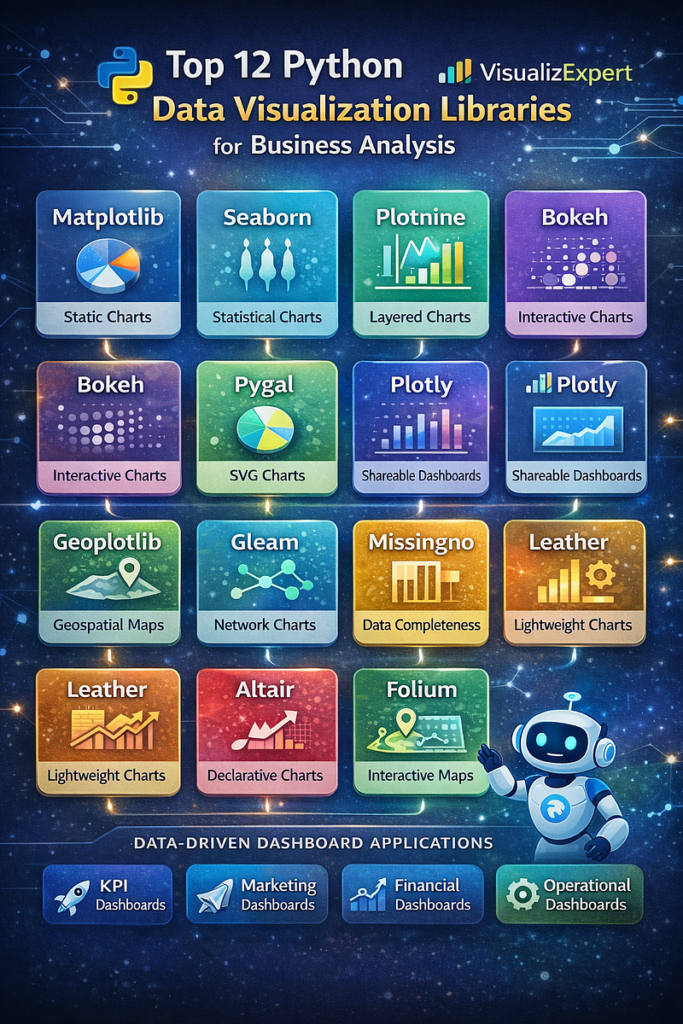
  • 12 Python Data Visualization Libraries to Explore for Business Analysis


    In today’s data-driven business landscape, making sense of complex datasets quickly and accurately is essential. Python, with its robust ecosystem of data visualization libraries, empowers analysts and executives to turn raw data into decision-ready insights. From plotting simple charts to building interactive business dashboards, Python’s libraries are versatile tools for organizations looking to strengthen their analytics capabilities. At VisualizExpert, we guide teams in leveraging these tools for data visualization services, analytics, and reporting consulting.

    Here’s a look at 12 Python libraries that every business analyst, BI consultant, or data professional should know.


    1. Matplotlib — The Foundation of Python Visualization

    Matplotlib is the cornerstone of Python visualization. Created by John D. Hunter, it’s ideal for generating static, publication-ready charts and exploring datasets.

    • Use Cases: Line charts, bar charts, histograms, scatter plots.
    • Why It Matters for Businesses: Many KPI dashboard services and executive analytics dashboards build upon Matplotlib due to its flexibility and extensive control over charting elements.

    While powerful, Matplotlib has a steep learning curve, especially for teams seeking interactive business dashboards. That’s why wrappers like Seaborn are commonly used.


    2. Seaborn — Beautiful Statistical Visualizations

    Seaborn simplifies the creation of statistically rich visualizations, adding aesthetics and modern color palettes over Matplotlib.

    • Best For: Correlation heatmaps, violin plots, categorical visualizations.
    • Business Value: Ideal for data storytelling services and presenting complex insights in a visually appealing way.

    By integrating Seaborn into Power BI data modeling services or other dashboard tools, analysts can create charts that are both insightful and executive-ready.


    3. Plotnine (ggplot) — Grammar of Graphics in Python

    Plotnine brings the R library ggplot2’s grammar of graphics to Python. Users build plots layer by layer, combining data, geometries, and statistical transformations.

    • Key Feature: Layered approach for building highly customizable plots.
    • Business Relevance: Enables Power BI consulting services teams to integrate advanced visual analytics into interactive business dashboards efficiently.

    4. Bokeh — Interactive, Web-Ready Charts

    Bokeh is designed for interactive, web-friendly visualizations. Unlike Plotnine, it’s native to Python and supports streaming and real-time data.

    • Applications: Web dashboards, live monitoring systems, executive analytics.
    • Business Advantage: Supports Power BI automation and enterprise data visualization, enabling stakeholders to interact with data dynamically.

    5. Pygal — SVG-Based Interactive Visuals

    Pygal’s unique feature is its ability to render SVG charts. While it’s ideal for smaller datasets, its charts are lightweight, responsive, and embeddable in web reports.

    • Use Case: Reports, custom Power BI reports, dashboards requiring clean visuals.
    • Business Impact: Supports interactive KPI dashboards and Power BI scorecards by providing flexible graphics integration.

    6. Plotly — Interactive and Shareable Dashboards

    Plotly is highly popular for building interactive dashboards that can be shared online. It supports complex chart types and works well with Python frameworks like Dash.

    • Applications: Power BI integration services, executive dashboards, ROAS and GA4 dashboards.
    • Business Benefit: Teams can create automated Looker Studio dashboards or interactive Tableau dashboards for stakeholders who demand real-time insights.

    7. Geoplotlib — Geospatial Visualization

    For businesses relying on location-based data, geoplotlib makes it easy to create maps and geographic plots.

    • Best For: Shopify Analytics Dashboard, retail location analysis, and multi-channel marketing attribution reports.
    • Business Insight: Useful in interactive business dashboards for mapping sales performance, campaign reach, or store distribution.

    8. Gleam — Visualizing Graph Data

    Gleam specializes in interactive graph visualizations, allowing users to visualize networks, dependencies, and hierarchies.

    • Applications: Social network analysis, campaign analytics reporting, supply chain data visualization.
    • Business Value: Supports custom analytics solutions for teams looking to uncover hidden patterns in interconnected data.

    9. Missingno — Data Completeness Analysis

    Missingno visualizes missing data patterns in datasets. It is invaluable for ensuring data quality anomaly detection and preparing datasets for dashboards.

    • Business Impact: Helps Power BI Star Schema Design and custom analytics workshops by identifying gaps in large datasets.

    10. Leather — Lightweight Charting

    Leather is a minimalistic library that focuses on simple, reproducible charts without overwhelming configuration.

    • Applications: Quick exploratory data visualization, dashboards for small businesses.
    • Business Use: Ideal for teams who want fast Power BI dashboard development without complex setup.

    11. Altair — Declarative Statistical Visualization

    Altair provides a concise, declarative syntax for creating interactive charts based on the Grammar of Graphics.

    • Key Feature: Easy to read and write code for complex visualizations
    • Business Relevance: Supports decision-ready data visualization, automated reporting solutions, and custom analytics solutions.

    12. Folium — Leaflet Maps in Python

    Folium brings the power of Leaflet.js maps into Python. It’s great for geospatial analysis and executive dashboards showing regional performance.

    • Applications: Looker Studio marketing analytics, location tracking, and e-commerce KPI tracking.
    • Business Advantage: Supports interactive Tableau dashboards and custom Tableau reports, making geospatial insights visually accessible.

    Why Python Libraries Matter for Business Intelligence

    Python’s rich ecosystem empowers organizations to:

    1. Build Power BI dashboards that integrate seamlessly with Python charts.
    2. Automate Looker Studio reports and GA4 dashboards for marketing analytics.
    3. Enhance interactive Tableau storytelling for executives and stakeholders.
    4. Enable real-time data dashboards for finance, operations, and e-commerce.

    At VisualizExpert, we guide teams to choose the right library for the job. Whether it’s a ROAS tracking dashboard, customer lifetime value analytics, or sales conversion rate analytics, Python visualization libraries accelerate data exploration and decision-making.


    Best Practices for Using Python Libraries in Business Analysis

    • Start with a clear objective: Define the dashboard’s purpose before choosing a library.
    • Integrate with BI tools: Use Python visualizations alongside Power BI managed services or Tableau automation services for interactive reporting.
    • Prioritize performance: Libraries like Plotly and Bokeh handle large datasets better than Pygal.
    • Ensure accessibility: Follow accessibility-driven BI design principles for executive dashboards and stakeholder reports.
    • Automate and scale: Combine Python visualization with automated Looker Studio dashboards and data pipeline automation to reduce manual workload.

    Conclusion

    Python’s 12 key visualization libraries — Matplotlib, Seaborn, Plotnine, Bokeh, Pygal, Plotly, Geoplotlib, Gleam, Missingno, Leather, Altair, and Folium — provide unparalleled flexibility and power for business analysis.

    At VisualizExpert, we leverage these tools for custom analytics solutions, BI dashboard solutions, Power BI scorecards, interactive Tableau dashboards, and automated Looker Studio reporting. By combining the right Python libraries with enterprise BI tools, businesses can transform raw data into actionable insights, enabling smarter, faster decisions across marketing, finance, operations, and executive management.

    If your team is looking to elevate its analytics and reporting consulting, interactive business dashboards, or enterprise data visualization, adopting Python visualization libraries is a critical step toward achieving decision-ready insights.

  • Power BI Dashboard Development for Decision-Ready Enterprises in 2026


    In 2026, enterprises are no longer asking whether they need analytics — they’re asking why their dashboards still don’t drive decisions.

    Despite heavy investments in BI tools, leadership teams often face delayed insights, conflicting metrics, and dashboards that explain what happened but fail to guide what to do next. This is where Power BI dashboard development evolves from reporting into a strategic capability.

    At Visualizexpert, we help enterprises move beyond static BI by designing analytics systems built for clarity, performance, and decision confidence.


    Why Business Intelligence in 2026 Is About Outcomes, Not Tools

    Modern organizations generate data across CRMs, ERPs, marketing platforms, finance systems, and operational tools. The challenge is no longer access — it’s alignment.

    This is why business intelligence consulting has shifted focus from dashboards to decision frameworks. Enterprises now expect BI to:

    • Reduce decision latency
    • Align KPIs across teams
    • Surface risks before they escalate
    • Enable leadership to act with confidence

    Dashboards that don’t support these outcomes are no longer acceptable.


    Power BI Dashboard Development: From Reports to Decision Systems

    What’s Changed?

    Traditional dashboards answered, “What happened?”
     Modern dashboards must answer:

    • Why did it happen?
    • What will happen next?
    • What action should we take?

    Effective Power BI dashboard development in 2026 requires more than visuals — it requires architecture, modeling, and performance discipline.

    Core Principles We Apply

    • Business-aligned KPIs over metric overload
    • Contextual benchmarks instead of isolated numbers
    • Role-based views for executives, managers, and operators

    This approach transforms dashboards into interactive business dashboards that leaders can trust.


    Building the Right Foundation with Power BI Data Modeling Services

    A dashboard is only as accurate as its data model.

    Many enterprises struggle with:

    • Incorrect totals
    • Broken filters
    • Slow performance at scale

    Our Power BI data modeling services focus on creating scalable, enterprise-grade semantic layers that ensure:

    • Consistent definitions across departments
    • Reliable aggregations
    • Faster query performance

    We often implement Power BI Star Schema Design to simplify relationships and improve calculation accuracy across large datasets.


    Designing Executive Analytics Dashboards That Drive Action

    Executives don’t need more data — they need clarity.

    High-impact executive analytics dashboards are designed around:

    • Strategic KPIs
    • Trends and deltas
    • Exceptions and risks

    At Visualizexpert, we design dashboards that:

    • Highlight what changed
    • Show why it matters
    • Make priorities obvious within seconds

    This is where decision-ready data visualization becomes a competitive advantage.


    Performance at Scale with Power BI DirectQuery Performance

    As enterprises scale, performance issues often surface:

    • Slow refresh times
    • Lagging visuals
    • Timeout errors on large datasets

    We optimize Power BI DirectQuery performance by:

    • Redesigning models for query efficiency
    • Reducing cardinality issues
    • Implementing aggregation strategies
    • Aligning visuals with query behavior

    This ensures dashboards remain responsive even with millions of records and real-time data sources.


    Security and Governance with Power BI Row Level Security

    Data democratization without governance creates risk.

    Enterprises must ensure users see only the data they’re authorized to access — without duplicating dashboards.

    We implement Power BI Row Level Security to:

    • Protect sensitive financial, HR, and customer data
    • Support multi-region and multi-role access
    • Maintain a single source of truth

    Governance-first BI builds trust — both with leadership and regulators.


    From Excel to Enterprise BI: Power BI Migration from Excel

    Many organizations still rely on Excel for critical reporting — creating:

    • Version conflicts
    • Manual errors
    • Delayed insights

    Our Power BI Migration from Excel services help enterprises:

    • Centralize reporting
    • Automate refreshes
    • Preserve logic while improving scalability

    The result is a shift from spreadsheet dependency to Power BI dashboards built for collaboration and control.


    Power BI Embedded Analytics for Product-Led Insights

    For SaaS platforms and internal portals, analytics must live inside the product experience.

    With Power BI Embedded Analytics, we enable organizations to:

    • Deliver analytics to customers or internal users
    • Maintain branding consistency
    • Control performance and access at scale

    Embedded BI turns analytics into a product feature — not a separate tool.


    KPI Strategy Consulting: Aligning Metrics with Business Reality

    Dashboards fail when KPIs are misaligned.

    Our KPI strategy consulting ensures that:

    • Metrics reflect business goals
    • Definitions are consistent across teams
    • Vanity metrics are eliminated

    This creates Power BI KPI tracking systems that leadership can actually rely on.


    Beyond Power BI: Advanced Visualization Capabilities

    While Power BI is core for many enterprises, some use cases demand advanced storytelling and exploration.

    We support:

    • Tableau Dashboard Design for visual exploration
    • Tableau Server Optimization for enterprise performance
    • Looker Studio Marketing Reports for marketing and growth teams

    Each tool is selected based on decision context — not preference.


    API Integration Services and Unified Reporting

    Disconnected systems slow decision-making.

    Our API Integration Services and automated data pipeline engineering unify data across:

    • CRM and ERP
    • Marketing and sales platforms
    • Finance and operations

    This enables unified reporting data models that eliminate reconciliation debates and restore trust in numbers.


    Enterprise BI Managed Services for Long-Term Success

    BI is not a one-time project.

    Our Enterprise BI Managed Services support:

    • Performance monitoring
    • KPI evolution
    • Dashboard optimization
    • Governance enforcement

    This ensures analytics systems evolve as the business grows.

    Final Thought

    In 2026, enterprises won’t win by collecting more data — they’ll win by making faster, clearer decisions with the data they already have.

    If your dashboards still need explanation, your analytics strategy needs refinement.

    Book a free consultation with Visualizexpert to evaluate your current BI setup, uncover performance gaps, and design a decision-ready analytics roadmap built for scale, security, and leadership confidence.

  • Why Disconnected Systems Are Draining Business Efficiency — And How API Integration Services Fix It


    Introduction: The Real Cost of Disconnected Systems

    Most enterprises don’t suffer from a lack of technology.
     They suffer from too much technology that doesn’t work together.

    Across finance, sales, operations, marketing, and customer support, systems multiply quickly. Each tool solves a local problem. But collectively, they create a global one: fragmentation.

    This is where API Integration Services become essential — not as a technical upgrade, but as a strategic response to hidden inefficiencies that slow execution, dilute accountability, and erode decision confidence.

    Disconnected systems don’t fail loudly.
     They fail quietly — through delays, manual work, conflicting reports, and leadership decisions made on partial truth.


    The Efficiency Drain No One Sees Until It’s Too Late

    In large organizations, inefficiency rarely shows up as a single failure. It appears as:

    • Reports that take days instead of minutes
    • Teams are reconciling numbers instead of acting on them
    • Leaders are questioning which dashboard is “right.”
    • IT is spending more time maintaining integrations than enabling growth

    Each department operates with its own systems, data definitions, and timelines. The result is operational drag — where execution slows not because people are incapable, but because systems are misaligned.

    Disconnected systems create three compounding costs.


    1. Operational Friction: Where Time and Focus Are Lost

    Every system boundary introduces friction.

    A deal closes in sales, but finance doesn’t see it immediately.
     A customer issue is resolved in support, but marketing still targets them incorrectly.
     Inventory changes, but procurement works from yesterday’s data.

    Employees switch between tools constantly, re-entering data, exporting spreadsheets, and validating numbers. The organization spends energy moving information, not using it.

    This friction compounds daily, reducing productivity, increasing errors, and exhausting teams.


    2. Data Trust Erosion: When Numbers Compete Instead of Align

    When systems don’t share a common data backbone, each becomes its own version of reality.

    The same metric appears differently across dashboards.
     Definitions vary by department.
     Leadership meetings turn into debates about data accuracy instead of strategy.

    Once trust erodes, analytics adoption drops.
     People revert to intuition — not because they dislike data, but because they no longer trust it.

    At enterprise scale, loss of data trust is a strategic risk.


    3. Decision Latency: The Hidden Strategic Cost

    Disconnected systems slow insight generation.

    Cross-functional questions — those that matter most — take the longest to answer. By the time reports are compiled, validated, and shared, the opportunity has passed.

    Organizations operating this way don’t lack intelligence.
     They lack decision velocity.

    This is where integration stops being optional.


    Why API Integration Alone Is Not Enough

    Many enterprises attempt to solve fragmentation by “connecting” systems.

    APIs are built.
     Data is synced.
     Dashboards pull from multiple sources.

    This helps — but only partially.

    Traditional integration connects systems without changing the underlying reality:

    • Each tool still owns its own data
    • Syncs introduce delays and failure points
    • Breakages require constant IT intervention

    APIs move data — but they don’t guarantee consistency, context, or confidence.

    This is the difference between integration and unification.


    How API Integration Services Enable Enterprise Unification

    True API Integration Services go beyond connecting tools. They are designed to orchestrate data flow, enforce governance, and support a unified analytical layer across the organization.

    At an enterprise level, an effective API strategy focuses on:

    • Standardized data models across systems
    • Real-time or near-real-time data availability
    • Clear ownership of metrics and definitions
    • Scalable pipelines that don’t break with growth

    Instead of each system acting independently, APIs become part of a cohesive data architecture.

    This is how complexity is reduced — not added.


    What Unified Systems Unlock for Enterprises

    When systems are properly unified through robust API architecture, organizations experience measurable change:

    1. One Source of Truth

    All analytics draw from consistent, governed data. Teams stop reconciling numbers and start aligning decisions.

    2. Real-Time Visibility

    Executives no longer wait for weekly or monthly reports. Dashboards reflect current operational reality.

    3. Faster Cross-Functional Decisions

    Sales, finance, operations, and marketing operate from shared context — eliminating handoff delays.

    4. Reduced Manual Work

    Automated data movement replaces spreadsheets, exports, and re-entry — freeing teams for higher-value work.

    5. Scalable Growth

    New tools and data sources can be added without destabilizing the system.


    Why Enterprises Need Analytics-Led Integration, Not Tool-Led Integration

    A common mistake is treating integration as an IT project.

    In reality, integration is a business intelligence initiative.

    APIs should be designed around:

    • How decisions are made
    • Which metrics drive action
    • Who needs what data, when, and why

    Without this lens, integrations technically work — but strategically fail.

    This is why enterprises increasingly partner with analytics-first firms that understand data flow, reporting architecture, and executive decision needs, not just APIs.


    Governance, Security, and Control at Scale

    Enterprise environments demand more than connectivity.

    They require:

    • Controlled access
    • Auditability
    • Compliance with internal and external regulations
    • Predictable performance under high usage

    Well-architected API frameworks support:

    • Secure data access across systems
    • Role-based exposure of sensitive information
    • Centralized monitoring and failure handling

    This ensures integration strengthens governance rather than undermining it.


    Preparing for AI and Advanced Analytics

    As organizations move toward AI-assisted decision-making, fragmented data becomes a liability.

    AI models trained on inconsistent or delayed data amplify errors instead of insights.

    Unified, API-driven architectures provide:

    • Clean, reliable input for analytics and AI
    • Traceable data lineage
    • Confidence in automated recommendations

    Integration is no longer just about efficiency — it’s about future readiness.


    Final Thoughts: Simplification Is a Strategic Advantage

    Disconnected systems don’t just slow operations.
     They limit what an organization can see, decide, and execute.

    Enterprises that succeed don’t add more tools — they simplify how systems work together.

    This is where the right integration strategy becomes transformational.

    At VisualizExpert, API integration is approached as part of a broader analytics and decision-enablement strategy. We help enterprises design integration frameworks that don’t just move data — but create clarity, restore trust, and accelerate decisions.

    Because real efficiency doesn’t come from doing more.
     It comes from removing the friction that prevents your business from moving forward.

  • Tableau Server Optimization: How Enterprises Achieve Control, Scale, and Decision Confidence

    The Enterprise Analytics Reality Has Changed

    In large enterprises, analytics challenges rarely come from a shortage of dashboards or tools. They come from complexity at scale.

    Data is no longer centralized in one place. It spans on-premises systems, private cloud environments, regulated data zones, and multiple public cloud platforms. Different teams consume analytics differently. Some require rapid experimentation. Others demand strict governance, auditability, and compliance.

    At this level of maturity, analytics stops being about visualization alone.
     It becomes a question of control without compromise.

    This is why Tableau Server Optimization has become a strategic priority for enterprises that operate in hybrid environments and cannot afford performance bottlenecks, governance gaps, or trust erosion in decision-making.


    Why Cloud-Only Analytics Often Breaks at Enterprise Scale

    Cloud BI platforms deliver speed and accessibility — but they are not designed for every enterprise reality.

    As organizations scale, analytics decisions increasingly resemble infrastructure decisions. Common enterprise constraints include:

    • Data residency and sovereignty requirements
    • Sensitive data that cannot leave controlled environments
    • Security teams requiring ownership over access, identity, and network policies
    • Performance challenges under high concurrency and large data volumes
    • Upgrade cycles that must align with internal governance and change management

    In these scenarios, SaaS-only analytics models often introduce risk, latency, or loss of control.

    A self-managed analytics platform — properly optimized — addresses these challenges without sacrificing usability or speed.


    What Optimized Tableau Server Delivers for Enterprises

    Tableau Server, when implemented and optimized correctly, becomes more than a reporting layer. It becomes an enterprise analytics foundation.

    Optimized deployments allow organizations to:

    • Run analytics entirely within controlled environments
    • Enforce enterprise-grade security and access policies
    • Scale horizontally to support thousands of concurrent users
    • Maintain predictable performance as data volumes grow
    • Align analytics operations with internal IT governance

    This level of control is not about flexibility for convenience — it is about risk management, compliance, and operational confidence.


    Tableau Server Optimization and Enterprise Self-Service Analytics

    One of the most difficult challenges in large organizations is balancing self-service analytics with centralized governance.

    Without self-service:

    • Analytics teams become bottlenecks
    • Business users wait for reports
    • Decisions slow down

    Without governance:

    • Metrics diverge across teams
    • Trust in data erodes
    • Leadership questions the numbers

    Optimized Tableau Server environments enable both.

    Business users explore and interact with trusted data independently, while IT and data teams retain centralized control over certified data sources, definitions, permissions, and performance tuning.

    The result is faster decisions without fragmented truth.


    Analytics Embedded Where Enterprise Decisions Actually Happen

    In mature organizations, decisions rarely happen inside BI tools alone.

    They happen inside:

    • Internal enterprise platforms
    • Customer-facing portals
    • Operational and workflow systems
    • Secure, role-based applications

    An optimized Tableau Server environment enables analytics to be embedded directly into these systems — ensuring insights are available in the flow of work, not buried behind separate logins or tools.

    This significantly increases adoption and ensures analytics influences real operational decisions rather than becoming passive reports.


    Performance, Scale, and Reliability at High Concurrency

    As usage expands across regions, departments, and leadership layers, performance becomes a strategic concern.

    Tableau Server Optimization focuses on:

    • Deploying analytics close to enterprise data sources
    • Reducing latency through architecture and caching strategies
    • Supporting high concurrency without dashboard degradation
    • Scaling clusters to handle peak workloads reliably

    This ensures analytics remains responsive even as enterprise demand grows — preventing slow dashboards from becoming a silent decision bottleneck.


    Governance Builds Trust — and Trust Accelerates Decisions

    Enterprise analytics only succeeds when leaders trust the data.

    Optimized Tableau Server environments support this trust by enabling:

    • Enterprise-grade access controls
    • Centralized governance and metadata management
    • Clear lineage and ownership of analytics assets
    • Consistent definitions across teams and regions

    Governance does not slow analytics when implemented correctly.
     It stabilizes decision-making, allowing organizations to move faster with confidence.


    Preparing Enterprise Analytics for an AI-Driven Future

    As enterprises integrate AI into analytics, governance and security become even more critical.

    By hosting analytics within managed environments, organizations can:

    • Integrate AI responsibly without exposing sensitive data
    • Maintain policy enforcement and auditability
    • Experiment with AI-driven insights safely
    • Build a controlled foundation for future innovation

    This makes optimized Tableau Server deployments a strategic enabler, not a temporary solution.


    Why Enterprises Partner with VisualizExpert

    VisualizExpert works with enterprises that view analytics as a long-term capability — not a one-time dashboard project.

    We help organizations:

    • Architect and optimize Tableau Server for scale and reliability
    • Align analytics infrastructure with governance and compliance needs
    • Design enterprise dashboards that leaders actually trust and use
    • Reduce performance bottlenecks and adoption friction
    • Build analytics systems that evolve with the business

    We don’t just optimize servers.
     We optimize how analytics supports decision-making at scale.

    Final Thoughts

    In complex, regulated, hybrid enterprise environments, analytics success is not about adopting the newest BI tool.

    It’s about choosing the right control model.

    With proper Tableau Server Optimization, enterprises can:

    • Scale analytics without losing governance
    • Empower users without fragmenting truth
    • Innovate without compromising security

    When analytics platforms adapt to the business — rather than forcing the business to adapt — data becomes a strategic advantage instead of an operational risk.

    At VisualizExpert, we help enterprises design, optimize, and scale Tableau Server environments that leaders trust, teams adopt, and security teams approve. Our focus is not just performance or visuals — but building analytics systems that support confident, enterprise-grade decision-making.

    If your analytics environment is growing in complexity, optimization is no longer optional.
     It’s foundational — and VisualizExpert is built to help you get it right.

  • How Founders Can Spot Bottlenecks Before They Hurt Growth Using Executive Analytics Dashboards


    Growth Rarely Breaks Overnight — It Quietly Slows Down

    Most founders don’t wake up to a sudden growth crisis.
     Revenue doesn’t collapse in a single quarter. Customers don’t disappear in a week.

    Instead, growth gradually slows — buried under operational friction, unclear metrics, and dashboards that report activity instead of insight.

    This is where executive analytics dashboards become critical. Not as reporting tools, but as early-warning systems. When designed correctly, dashboards help founders spot bottlenecks before they damage momentum, cash flow, or team morale.

    At scale, growth bottlenecks are not operational accidents. They are visibility failures.


    Why Founders Miss Bottlenecks Even When They “Have Data”

    Most growing companies already invest in data visualization services, reporting tools, and dashboards. Yet bottlenecks still slip through.

    The problem isn’t data volume.
     It’s data relevance.

    Common reasons bottlenecks go unnoticed:

    • Dashboards show what happened, not where pressure is building
    • Metrics are siloed across sales, marketing, and operations
    • Founders see too many numbers but too few signals
    • Reports are built for teams, not leadership decisions

    This is where business intelligence consulting shifts from reporting to strategy — helping founders focus on constraints, not clutter.


    Bottlenecks Are Patterns, Not Single Metrics

    A bottleneck is rarely one bad number.
     It’s a pattern across systems.

    For example:

    • Marketing leads are growing, but sales velocity is flat
    • Revenue is rising, but cash flow is tightening
    • Customer acquisition improves, but retention quietly drops

    These signals only surface when dashboards are built with contextual relationships, not isolated KPIs.

    This is the difference between basic BI dashboard solutions and decision-ready data visualization.


    Using KPI Dashboard Services to Detect Bottlenecks Early

    Effective KPI dashboard services don’t aim to track everything. They are designed to expose constraints in the growth engine.

    For founders, the most common bottleneck zones include:

    • Demand flow: Lead quality, conversion velocity, pipeline aging
    • Revenue realization: Discounting, margin compression, delayed collections
    • Operations: Fulfillment delays, capacity strain, rising cost per unit
    • Retention: Churn signals hidden behind top-line growth

    Dashboards that connect these metrics reveal where growth is slowing — before results collapse.


    Why Executive Dashboards Should Reduce Data, Not Add More

    Founders don’t need diagnostic depth.
     They need directional clarity.

    High-performing executive dashboards share three traits:

    1. Few metrics, high meaning
    2. Trend-based views instead of raw tables
    3. Visual hierarchy that surfaces risk instantly

    This is where interactive business dashboards outperform static reports — allowing founders to drill only when something breaks pattern.


    Spotting Bottlenecks Across the Growth Funnel

    Bottlenecks shift as companies scale. Dashboards must evolve with them.

    Early-Stage Growth

    • Lead velocity vs. sales capacity
    • Conversion drop-offs by stage

    Scale-Up Phase

    • Revenue per customer vs. acquisition cost
    • Operational throughput vs. demand

    Mature Growth

    • Retention erosion
    • Margin dilution
    • Forecast accuracy gaps

    Dashboards that fail to evolve often mask bottlenecks rather than expose them.


    Why Automation Alone Doesn’t Solve Visibility Problems

    Many founders invest in Power BI dashboards or automated reporting, expecting clarity to improve automatically.

    Automation removes manual work — not confusion.

    Without intentional design:

    • Automated reports amplify noise
    • Dashboards refresh faster, but stay misaligned
    • Founders react late, not early

    This is why analytics and reporting consulting matters. It ensures automation supports decisions, not distractions.


    Turning Dashboards into Constraint-Focused Systems

    Advanced teams design dashboards around constraints, not departments.

    This includes:

    • Linking sales velocity to delivery capacity
    • Mapping marketing spend to cash-flow impact
    • Aligning hiring pace with revenue predictability

    This systems view is central to enterprise data visualization — even for mid-market and founder-led companies.


    Data Modeling Matters More Than Chart Design

    Many bottlenecks remain invisible because dashboards are built on weak models.

    Strong dashboards rely on:

    • Clean metric definitions
    • Consistent time granularity
    • Unified reporting layers

    This foundation enables custom analytics solutions that scale without breaking trust.


    Bottlenecks Across Teams Need Shared Visibility

    Growth constraints rarely belong to one team.

    Sales feels the pain.
     Operations absorb the pressure.
     Finance sees the impact last.

    Dashboards must create shared accountability, not departmental silos. This is why founders benefit from shareable stakeholder reports that align teams around the same truth.


    From Reactive Reporting to Proactive Leadership

    Founders who spot bottlenecks early share one habit:
     They don’t wait for performance reviews to learn what’s broken.

    They rely on:

    • Continuous visibility
    • Leading indicators
    • Scenario-aware dashboards

    This mindset shift is at the heart of data-driven decision making.


    Governance: Visibility Without Overexposure

    While visibility matters, not all data belongs on executive screens.

    Effective dashboards:

    • Hide operational noise
    • Surface decision-level signals
    • Protect sensitive details

    This balance is essential for long-term trust in analytics.


    Why Bottleneck Detection Is a Strategic Advantage

    Companies that detect constraints early:

    • Reallocate resources faster
    • Avoid panic hiring or spending
    • Protect margins during scale

    This is why bottleneck-focused dashboards are not reporting tools — they’re growth insurance.


    How VisualizExpert Helps Founders Stay Ahead of Bottlenecks

    At VisualizExpert, we help founders move beyond static dashboards to decision-ready analytics systems.

    Our work focuses on:

    • Designing executive analytics dashboards aligned to growth stages
    • Building KPI frameworks that expose constraints early
    • Creating scalable reporting models that evolve with the business
    • Delivering clarity without overwhelming leadership

    We don’t build dashboards for presentation.
     We build dashboards for foresight.


    Final Thoughts: Growth Slows When Bottlenecks Go Unseen

    Bottlenecks don’t announce themselves.
     They hide in trends, timing gaps, and misaligned metrics.

    Founders who rely on surface-level dashboards see problems late.
     Founders who invest in constraint-aware analytics act early.

    If your dashboards show activity but not friction, growth risk is already accumulating.

    VisualizExpert helps founders design analytics systems that surface bottlenecks before they hurt growth — turning dashboards into strategic assets, not reporting overhead.