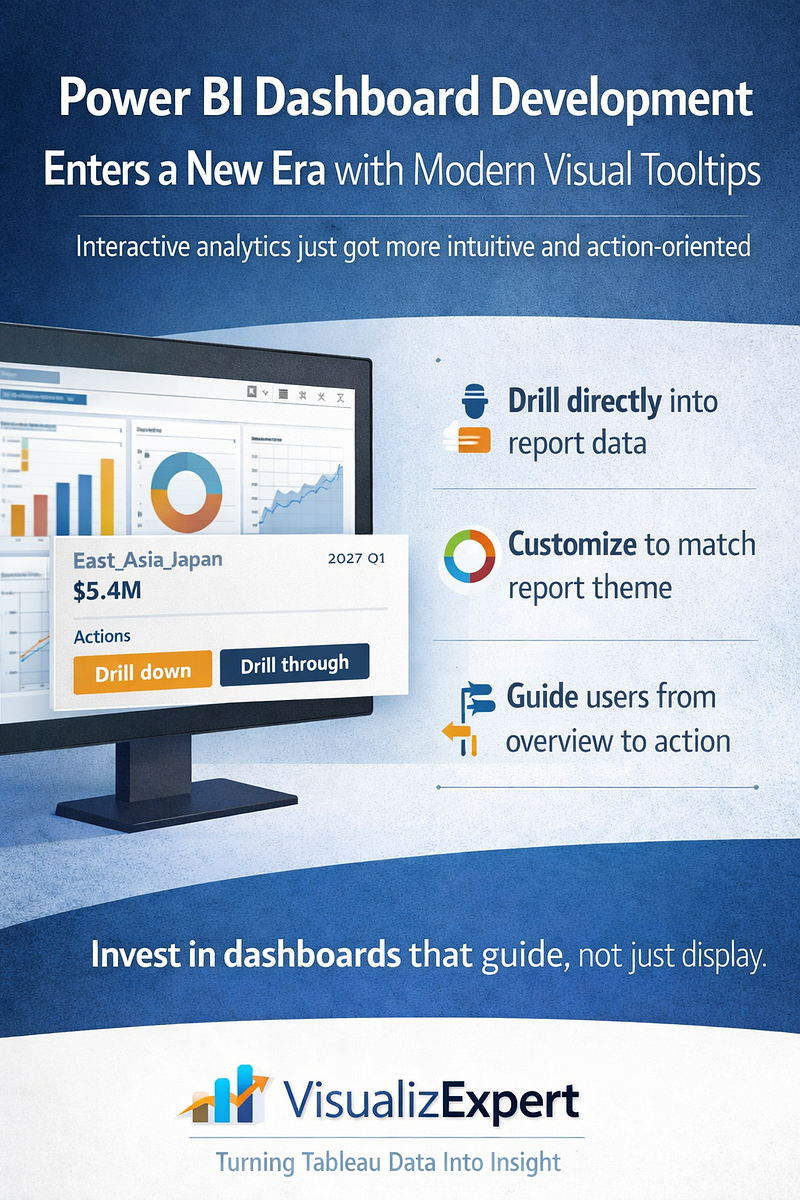
Power BI Dashboard Development has quietly crossed an important milestone. With the general availability of modern visual tooltips, Power BI reports are no longer just static representations of data — they have become more interactive, intuitive, and decision-oriented. This update, now live across Power BI Desktop, web, mobile, Microsoft Teams, and embedded experiences, fundamentally changes how users explore insights inside dashboards.
For organizations investing in enterprise analytics, this is more than a UI enhancement. It’s a shift in how dashboards guide behavior, reduce friction, and accelerate understanding. At VisualizExpert, we see modern tooltips as a critical building block for next-generation dashboard experiences — especially when reports must scale across business units, leadership layers, and operational teams.
Why Modern Visual Tooltips Matter in Power BI
Traditional tooltips in Power BI served a narrow purpose: showing the value behind a data point. While functional, they often required users to leave the flow of analysis to take action — right-clicking, navigating menus, or moving to other pages to explore further.
Modern visual tooltips change that interaction model.
They bring context, action, and continuity directly into the moment of exploration. When users hover over a bar, line, or data point, they are no longer just observing data — they are invited to interact with it.
This matters because dashboards are not consumed passively. They are used under time pressure, during meetings, and in decision-making moments where every extra click creates friction.
Power BI Dashboard Development and Interactive Data Exploration
One of the most impactful additions in modern tooltips is the Actions footer, which allows users to drill down, drill up, or drill through directly from the tooltip.
What this changes for dashboard users:
- Exploration becomes intuitive, not instructional
- Insights unfold naturally without breaking focus
- Users no longer need training just to navigate reports
From a Power BI Dashboard Development perspective, this enables a new design philosophy: dashboards that guide users forward, instead of forcing them to search for the next step.
At VisualizExpert, we design dashboards where tooltips act as micro-navigation layers — helping users move from summary to detail without overwhelming the main canvas.
Consistent Design Through Theme-Based Tooltip Styling
Another critical improvement is that modern visual tooltips now inherit styling from the report theme. Fonts, colors, and transparency are automatically aligned, creating a seamless and professional look across all visuals.
This is especially important for enterprise dashboards where:
- Brand consistency matters
- Reports are shared with executives and external stakeholders
- Multiple authors contribute to the same report ecosystem
Theme-based styling ensures that tooltips do not become visual outliers. Instead, they reinforce trust by maintaining consistency across the entire dashboard experience.
VisualizExpert leverages this capability to help organizations standardize dashboard design at scale — reducing manual formatting effort while improving visual quality.
No Disruption to Existing Reports
One of the most enterprise-friendly aspects of this update is that existing reports remain unchanged unless authors choose to adopt the new experience.
- New reports use modern tooltips by default
- Existing reports can be upgraded selectively using “Reset to default”
This gives BI teams full control over rollout timing, testing, and governance — without introducing unexpected changes to business-critical dashboards.
For organizations managing hundreds or thousands of reports, this controlled adoption is essential.
Designing Tooltips for Decision-Making, Not Decoration
Modern tooltips should not be treated as decorative add-ons. When used intentionally, they become one of the most powerful interaction layers in a Power BI dashboard.
At VisualizExpert, our Power BI Dashboard Development approach treats tooltips as:
- Decision accelerators — showing just enough context to move forward
- Navigation bridges — connecting summary views to deeper analysis
- Trust builders — reinforcing clarity and consistency
We design tooltip content to answer the next logical question a user might have — without cluttering the main visual.
Enterprise Use Cases Where Modern Tooltips Shine
Modern visual tooltips unlock value across multiple business scenarios:
Executive Dashboards
Executives can drill into performance drivers without leaving high-level views, keeping conversations focused and efficient.
Operational Reporting
Teams can move from anomaly detection to root-cause analysis in seconds, directly from the point of interest.
Embedded Analytics
When Power BI reports are embedded in applications, tooltips reduce the need for custom navigation logic — simplifying development while improving usability.
These are the environments where thoughtful Power BI Dashboard Development delivers measurable ROI.
VisualizExpert’s Approach to Modern Power BI Experiences
Modern tooltips are most effective when they are part of a broader dashboard strategy. VisualizExpert helps organizations align Power BI features with business outcomes by focusing on:
- Interaction-first dashboard design
- Scalable theming and layout standards
- Clear analytical pathways from overview to action
We don’t just enable features — we design experiences that make those features meaningful.
By combining platform knowledge with strong visual analytics principles, we help teams turn Power BI dashboards into tools people actually want to use.
Analytics Maturity Depends on User Experience
As BI platforms mature, the differentiator is no longer access to data — it’s how easily people can work with it.
Modern visual tooltips support:
- Faster insight discovery
- Reduced cognitive load
- More confident decision-making
These are not cosmetic gains. They directly impact adoption, trust, and the perceived value of analytics investments.
Final Thoughts: Small Interaction, Big Impact
Modern visual tooltips may seem like a small enhancement, but they reflect a larger shift in Power BI’s evolution — from reporting to guided analytics.
For organizations serious about Power BI Dashboard Development, this update is an opportunity to rethink how users interact with data at every touchpoint.
At VisualizExpert, we believe the best dashboards don’t just show information — they anticipate questions, reduce friction, and support action.
And sometimes, the most powerful changes happen right where users hover.
Leave a Reply