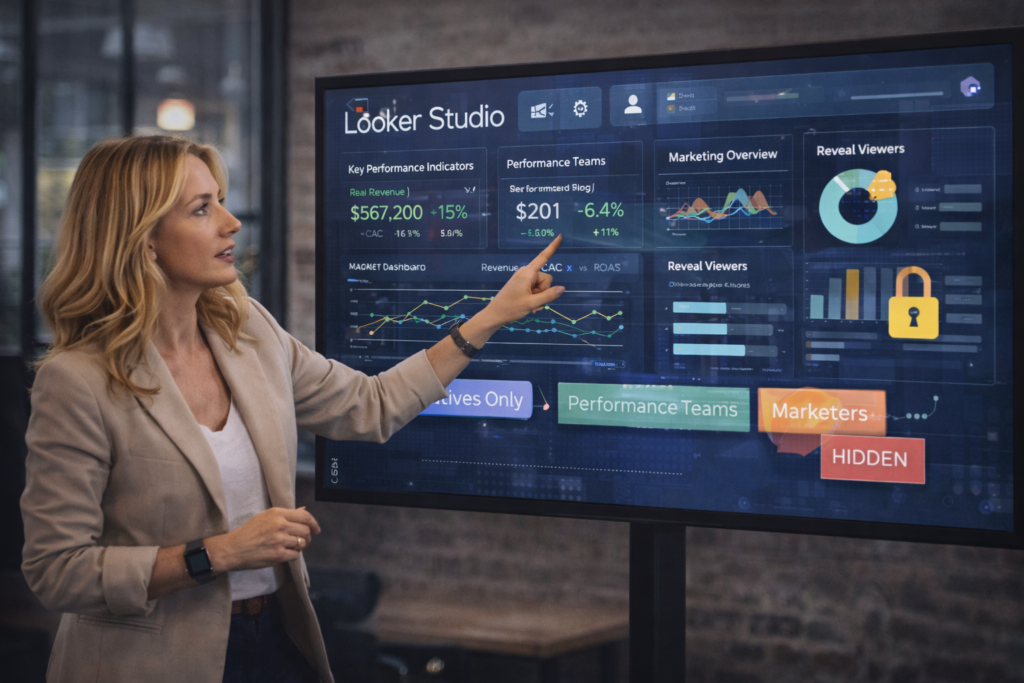
As analytics teams build more advanced Looker Studio reports, the challenge is no longer data availability — it’s relevance. Founders, executives, marketers, and analysts often view the same dashboard, but they don’t need the same level of detail. Without control, dashboards become cluttered, confusing, or duplicated across teams.
This is where managing charts and pages effectively becomes critical. With recent updates, Looker Studio now supports granular visibility controls, smarter page management, and flexible report design patterns that reduce duplication and improve clarity.
At VisualizExpert, we see this shift as a natural evolution in data analytics services — moving from static dashboards to adaptive, audience-aware reporting systems. This guide explains how to manage charts and pages in Looker Studio and why these features matter for scalable business intelligence.
What’s Changed in Looker Studio Chart and Page Management
Historically, teams handled different audiences by cloning reports. One version for leadership, one for clients, one for internal teams. Over time, this approach created maintenance overhead and version confusion.
With recent updates, Looker Studio enables:
- Chart-level control visibility
- Page duplication and hiding
- Role-aware dashboards using variables
- Cleaner navigation for complex reports
These improvements align with modern business intelligence consulting principles: one trusted dataset, one report, multiple perspectives.
Why Visibility Control Matters More Than Design
Dashboards fail when they try to show everything to everyone. Founders want outcomes. Teams need diagnostics. Clients expect clarity.
Visibility controls allow teams to:
- Hide internal calculations
- Reduce cognitive overload
- Keep advanced analysis accessible without overwhelming viewers
This shift supports better data visualization services, where clarity drives decisions instead of decoration.
How to Control Visibility for Charts and Components
Looker Studio allows charts, text blocks, tables, and images to be conditionally displayed based on variables.
Basic setup:
- Open the report in Edit mode
- Select a chart or component
- Click the three-dot menu
- Choose Control visibility
You can define whether a component:
- Is always visible
- Is always hidden
- Appears only when a condition is met
This enables interactive business dashboards that adapt to the viewer without duplicating reports.
Using Group Membership Variables (Pro Feature)
For teams using Looker Studio Pro, group membership variables unlock identity-aware reporting.
These variables evaluate:
- Viewer email addresses
- Google Group membership
When the condition matches, the chart or page is shown.
This is especially valuable for:
- Agencies managing multiple clients
- Enterprises with role-based reporting
- Teams delivering enterprise data visualization at scale
Instead of managing access through manual filters, visibility adapts automatically.
Managing Pages: Duplicate, Hide, Rename, Reorder
Chart control is only part of the experience. Page-level management shapes how users move through a report.
Looker Studio allows you to:
- Duplicate pages to reuse layouts
- Rename pages for clarity
- Reorder pages to guide narrative flow
- Hide pages from viewers while retaining edit access
These features support cleaner BI dashboard solutions, especially for long or multi-functional reports.
Managing Visibility in Automated Looker Studio Dashboards
When teams build Automated Looker Studio Dashboards, visibility management becomes essential.
Automation removes manual updates — but without visibility rules, automation can amplify noise.
Effective visibility management ensures:
- Executives see KPIs, not raw tables
- Teams access diagnostics when needed
- Stakeholders receive clean, focused views
This is how automation supports decision-making instead of overwhelming it.
Practical Use Cases for Control Visibility
1. Executive Reporting
Executives need trends, not tables. Visibility controls allow teams to surface executive analytics dashboards without exposing underlying complexity.
2. Multi-Team or Multi-Client Reporting
One report can serve multiple audiences by showing only relevant sections — a core principle in scalable analytics and reporting consulting.
3. Cleaner Marketing and Performance Reports
Marketers can focus on outcomes while analysts retain access to deeper views, such as Looker Studio marketing analytics and performance diagnostics.
Limitations and Governance Considerations
Visibility controls improve UX — but they are not a replacement for security.
Key limitations:
- Group variables require Pro access
- Editors can remove visibility logic if permissions allow
- Sensitive data should still rely on proper data access controls
This is why visibility must complement — not replace — strong KPI dashboard services and governance practices.
Why Visibility Control Is a Strategy Decision, Not a Feature
Visibility management reflects analytics maturity. Teams that control what users see:
- Reduce confusion
- Improve trust
- Accelerate decisions
At VisualizExpert, we view this as part of custom analytics solutions — designing dashboards that respect how decisions are actually made.
How VisualizExpert Helps Teams Scale Looker Studio Reporting
As a specialized Data Analytics Agency, VisualizExpert helps organizations:
- role-based Looker Studio reports
- Implement visibility logic aligned with business goals
- Build scalable reporting frameworks that reduce duplication
- Deliver dashboards leaders actually use
We don’t just design charts. We design systems that support data-driven decision-making.
Final Thoughts
Managing charts and pages in Looker Studio is no longer just a design task — it’s a strategic capability. Visibility controls, page management, and automation allow teams to move from static reporting to adaptive analytics.
When dashboards show the right information to the right people at the right time, reporting becomes an asset instead of a burden.
If your Looker Studio reports are growing in complexity, mastering visibility controls isn’t optional — it’s foundational.
At VisualizExpert, we help teams build dashboards that scale with the business, not against it.
Leave a Reply