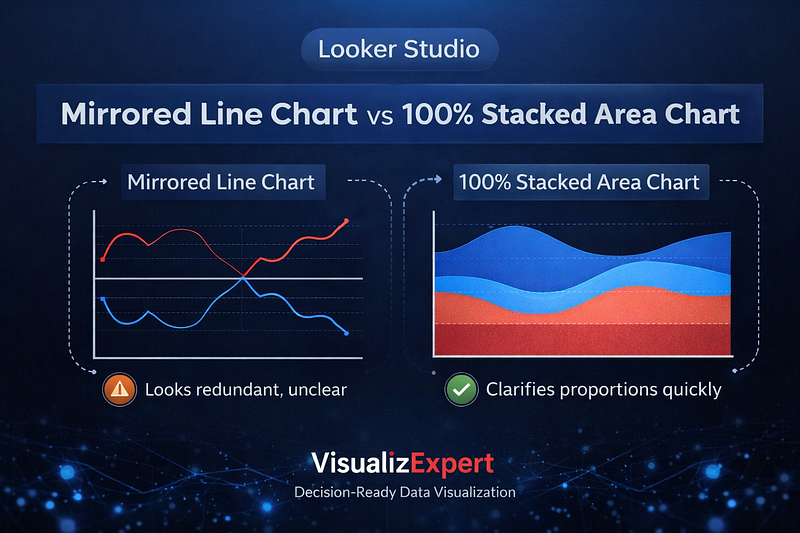
Choosing the wrong chart rarely breaks a dashboard visually — but it often breaks decision-making. In Looker Studio dashboards, mirrored line charts and 100% stacked area charts are frequently used to show changing proportions over time. Both appear logical. Both are popular. Yet only one consistently supports decision-ready data visualization when the goal is clarity, speed, and trust.
At VisualizExpert, we see this pattern across analytics engagements: leaders don’t question the data, but they hesitate on conclusions because visuals subtly introduce doubt. Understanding how chart structure shapes interpretation is essential for founders, executives, and analytics teams who rely on Looker Studio for strategic insight.
This article explores when mirrored line charts help, where they fail, and why 100% stacked area charts often produce better business outcomes.
Why Chart Choice Matters More Than Most Teams Realize
Modern dashboards are packed with advanced features — parameters, sliders, calculated fields, and interactivity. But sophistication doesn’t guarantee understanding. The human brain processes visual signals faster than numbers, which means charts don’t just show data — they frame reality.
This is why data visualization for decision making must prioritize perception over decoration. When a chart forces the viewer to mentally validate logic before interpreting insight, cognitive load increases. Decisions slow down. Confidence erodes.
That tradeoff sits at the heart of the mirrored line vs stacked area debate.
Mirrored Line Charts: Familiar, Expressive, and Risky
Mirrored line charts show two complementary values — often shares that add up to 100% — reflected across a central axis. They are commonly used in media, trend storytelling, and public-facing analytics.
The appeal is understandable:
- Lines naturally represent time
- Crossovers feel meaningful
- Directional movement is easy to spot
For storytelling, mirrored line charts can be effective. They highlight contrast, tension, and narrative flow. This is why they persist in marketing reports, public research, and trend analysis.
However, in interactive business dashboards, mirrored lines introduce a subtle problem: redundancy.
Because one line is mathematically derived from the other, experienced viewers instinctively question the transformation before trusting the message. The chart demands validation before insight — an unnecessary tax in executive contexts.
The Hidden Cognitive Cost of Mirrored Views
For data-literate users, mirrored charts often trigger a pause:
“Is this truly mirrored?”
“Are both series independent?”
“What’s the actual baseline?”
That pause matters.
In leadership environments, hesitation equals friction. When dashboards are used in meetings, reviews, or performance discussions, visuals must be immediately interpretable. Any chart that redirects attention away from the insight toward its construction weakens impact.
This is why mirrored line charts frequently underperform in executive analytics dashboards, even when the data itself is sound.
100% Stacked Area Charts: Clarity Through Structure
By contrast, 100% stacked area charts encode the same information using proportion and area rather than reflection. A single dividing line shows the relationship between components over time, grounded against a stable baseline.
This structure offers three key advantages:
- The total is always explicit
- Proportions are visually intuitive
- Redundancy is eliminated
Instead of asking “Is this mirrored?”, viewers immediately see how shares evolve. The chart answers the business question without requiring explanation, making it ideal for Looker Studio reports designed for decision-making.
When 100% Stacked Area Charts Perform Better
Stacked area charts excel when:
- You’re tracking distribution changes over time
- Shares must always equal a whole
- The audience includes executives or founders
- The chart appears in recurring reviews
In these contexts, clarity beats convention. The area format reduces interpretation effort and supports faster insight, aligning with Business-Aligned Metrics Framework principles.
This doesn’t make mirrored charts “wrong” — but it makes them situational.
Adding Interactivity Without Sacrificing Understanding
One strength of Looker Studio is the ability to let users switch views using parameters and controls. Done well, this enhances exploration. Done poorly, it adds confusion.
At VisualizExpert, we often recommend a default 100% stacked area chart, with an optional toggle for a mirrored view. This respects advanced users without forcing validation overhead on everyone else.
This pattern supports Interactive Dashboard Design while preserving interpretability.
Design Choices That Separate Insight From Noise
Beyond chart type, design discipline matters:
- Clear color logic
- Stable baselines
- Minimal annotations
- Consistent scales
Over-styling undermines trust. Business dashboards should not require narration. This philosophy underpins our data visualization services and is especially critical in Looker Studio, where flexibility can easily lead to excess.
Why This Matters for Founders and Executives
Founders don’t open dashboards to admire charts. They open them to decide:
- Should we invest more?
- Are we gaining or losing share?
- Is momentum real or temporary?
Charts that slow interpretation delay action. This is why visualization choices directly affect business outcomes, especially in growth, marketing, and product analytics.
Clear visuals support Data Driven Decision Making. Ambiguous ones quietly undermine it.
Looker Studio Consulting With Intentional Visualization
Effective Looker Studio consulting starts by defining the decision, not the chart. Only after the question is clear should visualization options be considered.
Whether working with marketing data, operational metrics, or leadership reporting, VisualizExpert applies a decision-first lens. This ensures visuals reduce cognitive load rather than add to it.
Strategic Context: Visualization as Part of the BI Roadmap
Chart selection is not a design detail — it’s a governance decision. As organizations scale analytics, consistency matters.
Within Strategic BI Roadmap Development, we treat visualization standards as part of platform maturity. This prevents dashboard sprawl, misinterpretation, and trust erosion over time.
Final Thoughts: Convention Should Never Override Clarity
Mirrored line charts have their place. They tell stories, show contrast, and feel familiar. But familiarity is not the same as effectiveness.
When the goal is decision speed, trust, and adoption, 100% stacked area charts often provide a clearer, more honest view of change.
In Looker Studio, the best dashboards don’t impress — they inform.
If your charts require explanation, the design — not the data — needs attention. At VisualizExpert, we help teams replace visual ambiguity with confidence, ensuring analytics supports decisions instead of distracting from them.
Because in business, clarity is not a nice-to-have — it’s the competitive edge.
Leave a Reply