Why Data Visualization Is No Longer Optional
Modern businesses are drowning in dashboards but starving for clarity.
Every department has data.
Every tool promises insights.
Yet leaders still ask, “What should we do next?”
This gap exists because data visualization for decision making isn’t about charts — it’s about cognitive clarity. At VisualizExpert, we see this daily: organizations don’t fail due to a lack of data; they fail because visuals don’t support decisions.
Effective visualization compresses complexity into patterns the human brain can instantly recognize. When done right, it shortens meetings, aligns teams, and accelerates action.
From Analysis to Action: Where Visualization Fits
Before diving into techniques, it’s important to understand why visualization matters.
- Data captures what happened
- Analytics explains why it happened
- Visualization enables decisions on what to do next
This is the foundation of data-driven decision making — and the reason visual analytics has moved from “nice-to-have” to mission-critical.
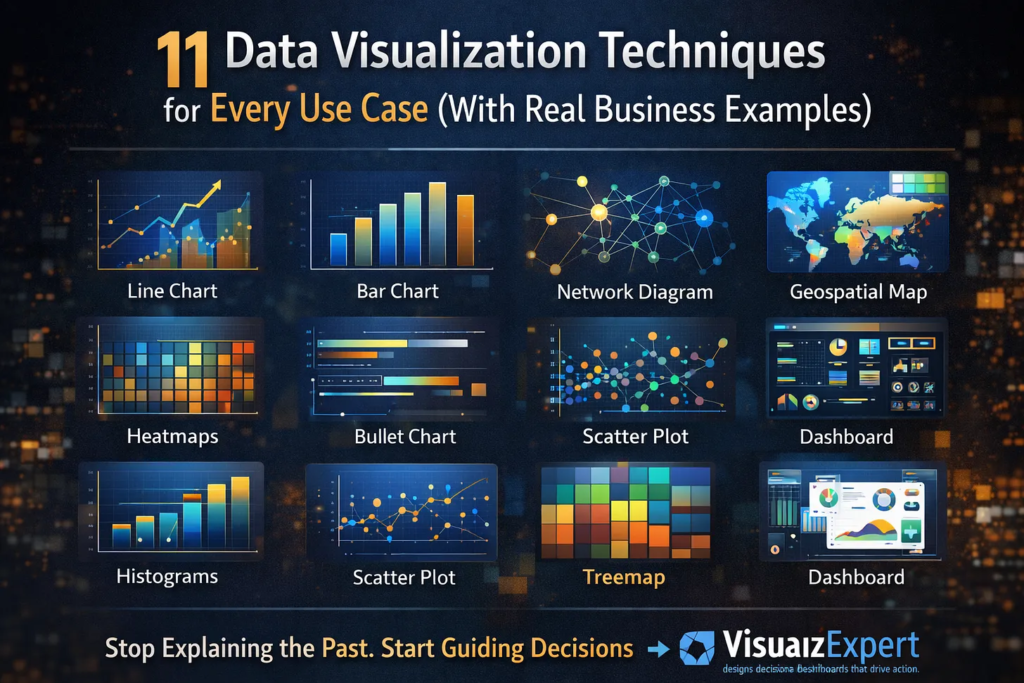
11 Data Visualization Techniques That Actually Work
Below are 11 visualization techniques, mapped to real business use cases — not theory.
1. Line Charts — Tracking Change Over Time
Best for: Trends, growth, seasonality
Line charts are ideal when leadership needs to understand momentum. Revenue growth, traffic trends, or cost movement over time become immediately visible.
Used heavily in executive analytics dashboards, line charts answer one question fast: Are we improving or declining?
2. Bar Charts — Comparing Categories
Best for: Rankings, comparisons
Bar charts excel at showing differences between categories — regions, products, channels, or teams. When paired with KPI dashboard services, they help leaders spot underperformance instantly.
3. Histograms — Understanding Distribution
Best for: Frequency, spread, anomalies
Histograms reveal whether results are consistent or volatile. They’re commonly used in analytics and reporting consulting to identify skewed performance or outliers that averages hide.
4. Box Plots — Spotting Risk and Variability
Best for: Outliers, variability
Box plots are powerful in finance, operations, and HR analytics where understanding risk dispersion matters more than averages.
5. Scatter Plots — Revealing Relationships
Best for: Correlation, hypothesis testing
Scatter plots expose relationships between variables — such as spend vs. return or speed vs. quality. They are often used in custom analytics solutions to validate assumptions before scaling decisions.
6. Heatmaps — Pattern Recognition at Scale
Best for: Density, intensity, behavior patterns
Heatmaps allow instant recognition of peaks and gaps. From user behavior to performance tracking, they’re widely used in interactive business dashboards where speed of interpretation matters.
7. Treemaps — Part-to-Whole Analysis
Best for: Portfolio breakdowns
Treemaps are ideal when showing how components contribute to a whole — budget allocation, product mix, or revenue contribution. They often replace pie charts in enterprise data visualization due to better readability.
8. Geospatial Maps — Location-Based Insight
Best for: Regional performance
Maps make geography actionable. Sales coverage, logistics efficiency, and market penetration come alive when layered onto spatial visuals — especially in BI dashboard solutions.
9. Network Diagrams — Relationship Mapping
Best for: Connections, dependencies
Network diagrams are powerful for fraud detection, supply chains, or organizational analysis. They reveal structures that tables cannot, often forming part of business intelligence consulting engagements.
10. Bullet Charts — Performance vs Target
Best for: KPI tracking
Bullet charts replace cluttered gauges and are excellent for compact dashboards. They’re frequently used in Power BI Dashboard Development to show actuals versus targets without visual noise.
11. Dashboards — Decision Systems, Not Reports
Best for: Ongoing monitoring
Dashboards aren’t a visualization type — they’re a system. Effective dashboards combine multiple techniques into a narrative aligned with business goals. The best ones focus on decision-ready data visualization, not reporting volume.
Choosing the Right Visualization (H2 with keyword)
Decision-Ready Data Visualization: How to Choose What Actually Works
(Keyword used: Decision-Ready Data Visualization)
Choosing the wrong chart can destroy even the best analysis.
Ask these questions before selecting a visualization:
- What decision should this support?
- Who is the audience?
- How fast must the insight be understood?
- What action should follow?
This approach is central to dashboard design consulting, where clarity always beats complexity.
Tools Matter — but Strategy Matters More
Tools like Power BI, Tableau, and Looker Studio have democratized visualization. But tools alone don’t guarantee impact.
Successful organizations invest in:
- Power BI consulting services to align visuals with strategy
- Tableau Dashboard Design for storytelling and exploration
- data visualization services that focus on adoption, not aesthetics
Without a strategy, dashboards become unused artifacts.
Best Practices That Separate Good from Great
Based on real-world delivery experience, here’s what works:
- One insight per visual
- Consistent color logic
- Minimal cognitive load
- Clear visual hierarchy
- Metrics tied to accountability
These principles underpin interactive dashboard design and ensure visuals guide action — not confusion.
Scaling Visualization Across the Organization
As organizations mature, visualization must scale:
- Across departments
- Across roles
- Across decision levels
This is where KPI strategy consulting and analytics strategy services help standardize metrics while allowing flexibility for different users.
The goal isn’t more dashboards — it’s fewer, trusted ones.
Why Visualization Is a Leadership Skill Now
Visualization is no longer just for analysts.
Executives rely on executive summary dashboards to:
- Reduce meeting time
- Align priorities
- Act with confidence
That’s why visualization has become a core pillar of analytics transformation consulting — it directly affects decision velocity.
Final Thought: Where Better Decisions Actually Begin
Data visualization isn’t about prettier charts.
It’s about confidence, speed, and alignment.
When leaders can see what matters, decisions stop being debated and start being executed. That’s how organizations move faster — without guessing.
If your dashboards still explain the past instead of guiding the next move, it’s time to rethink how you visualize.
👉 VisualizExpert helps teams design decision-ready dashboards that don’t just display data — they drive action.
From strategy to execution, the focus stays the same: clarity that scales with growth.
Because the real value of data isn’t knowing more.
It’s about making better decisions — every single day.
Leave a Reply